

Most salon and restaurant owners in Central Texas spend their time chasing reviews, posting on social media, and tweaking keywords. That's all useful work. But there's one setting inside your Google Business Profile that quietly controls whether you show up in local search at all: your business category. Get it wrong, and Google simply won't show your listing to the people searching for exactly what you offer. Get it right, and you can move into the local Map Pack without spending a single dollar on ads. This guide breaks down what business categories are, how they drive local rankings, and how to choose and maintain the right ones for your business.
Table of Contents
- What are business categories in SEO?
- How business categories affect your local search ranking
- Choosing the best business categories for your company
- Fine-tuning, updating, and tracking business category performance
- Our take: Why business categories are your SEO secret weapon
- Ready to boost your local SEO?
- Frequently asked questions
Key Takeaways
| Point | Details |
|---|---|
| Categories drive local visibility | Choosing the right business categories puts your listing in front of ideal customers searching nearby. |
| Specific beats generic | The more accurate and targeted your categories, the better your search rankings and matches on Google. |
| Ongoing maintenance matters | Reviewing and updating categories regularly keeps your business relevant and discoverable. |
| Evaluate competitors | Analyzing what top competitors use for categories can reveal strategic opportunities. |
What are business categories in SEO?
Business categories are labels that tell search engines and customers what your company does. They're not just organizational tags. They're a core part of how Google decides which businesses to show when someone types a search into their phone.
On your Google Business Profile, you assign one primary category and up to nine secondary categories. The primary category carries the most weight. It tells Google the single most important thing about your business. Secondary categories expand your reach by covering supporting services.
Here are some examples Central Texas business owners will recognize:
- A nail salon in Pflugerville might use "Nail Salon" as the primary and "Waxing Hair Removal Service" as a secondary.
- A restaurant in Austin serving both dine-in and takeout might use "Restaurant" as primary and "Takeout Restaurant" or "American Restaurant" as secondary.
- A med spa might lead with "Medical Spa" and add "Skin Care Clinic" and "Laser Hair Removal Service" as supporting categories.
This distinction between primary and secondary matters far more than most owners realize. Google uses categories as a primary factor in local search rankings. That means your primary category alone can determine whether your business appears on page one or gets buried entirely.
For a broader look at how categories fit into your full local strategy, our local SEO guide walks through every piece of the puzzle.
"Your business category is the first signal Google reads to understand what you offer. Everything else builds on top of it."
A common misconception is that you can set your categories once and move on. In reality, categories need to reflect your current offerings. If you've added a new service or shifted your focus, your categories should shift too. Bing also uses categories for its local listings, and the logic is the same: precise categorization leads to accurate placement in search results.
Think of it this way. If you walk into a library and ask for a mystery novel, but the librarian files your book under "general fiction," no one looking in the mystery section will ever find it. Business categories work the same way. You have to be shelved correctly before customers can find you.
How business categories affect your local search ranking
After understanding what categories are, it's essential to see how they work behind the scenes to influence your business's local search performance.
Google's local search algorithm tries to match results to user intent. When someone searches "nail salon near me" or "best tacos in Round Rock," Google pulls listings that best match that query. Business categories are one of the clearest signals Google has. Accurate categories increase your chances of showing up in the Map Pack and local results.

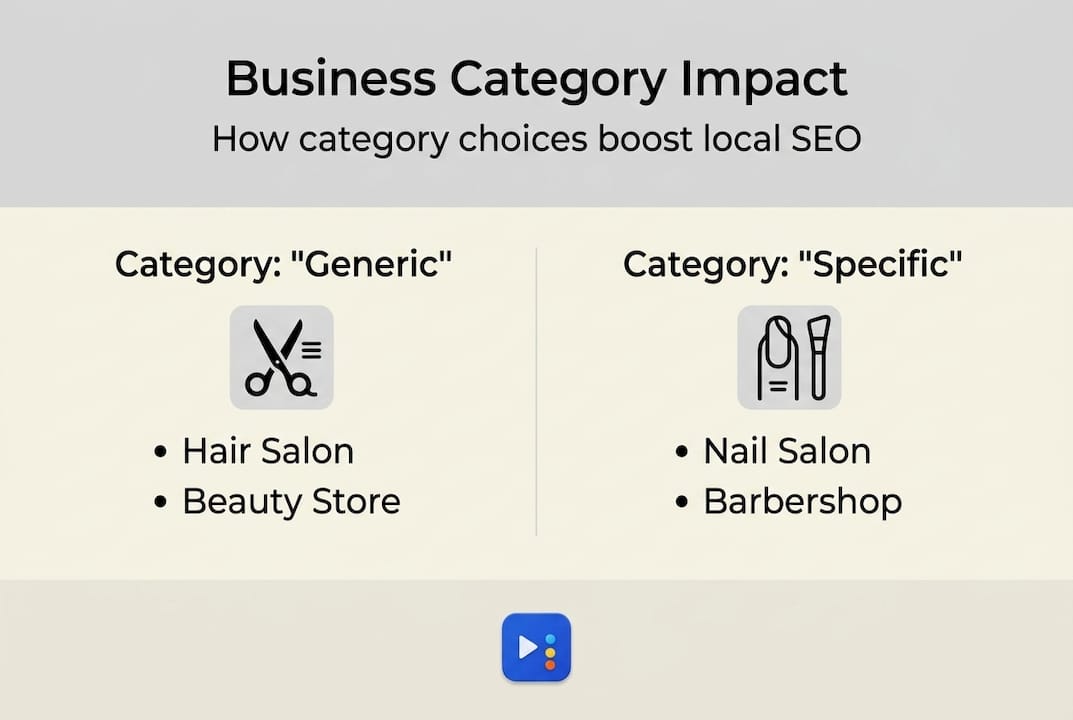
Here's a practical table showing how category precision changes search visibility:
| Generic category | Specific category | Searches triggered |
|---|---|---|
| Hair Salon | Hairdresser | "hairdresser near me," "hair coloring salon" |
| Restaurant | Takeout Restaurant | "takeout near me," "food delivery Austin" |
| Beauty Salon | Nail Salon | "nail salon Pflugerville," "gel nails near me" |
| Health | Medical Spa | "med spa Austin," "Botox near me" |
The more specific you are, the better Google understands who to show your listing to. A restaurant in Austin that added "Takeout Restaurant" as a secondary category saw a measurable increase in direction requests and calls within 60 days. The food hadn't changed. The service hadn't changed. Only the category did.
For more practical ways to move up in local results, check out these local SEO tricks we've compiled from real campaigns.
Common mistakes that hurt local rankings include:
- Using a category that's too broad. "Restaurant" alone won't help you show up for "Vietnamese restaurant Georgetown."
- Skipping secondary categories entirely. You're leaving ranking opportunities on the table.
- Choosing categories based on aspirations instead of reality. If you don't offer spa services yet, don't list yourself as a spa.
Pro Tip: Search for your top competitor's Google Business Profile. Look at what category they're listed under. If they're ranking above you and using a more specific category, that's a clear signal you need to adjust.
Businesses in Pflugerville and surrounding areas can also benefit from location-specific optimization. Learn more about SEO in Pflugerville and how category choices interact with local signals.
Choosing the best business categories for your company
With the knowledge of why categories matter, let's break down a simple process to pick the most effective categories for your business.
Start by listing every service you actually provide. Be specific. "We do nails" becomes "gel manicures, acrylic sets, pedicures, and nail art." Each of those services may have its own Google category.
Follow this step-by-step process inside your Google Business Profile:
- Log in to your Google Business Profile dashboard.
- Go to "Edit profile" and select "Business category."
- Type in a keyword that describes your main service.
- Review the suggestions Google shows you and pick the most specific match.
- Add secondary categories for supporting services, one at a time.
- Save and monitor your search performance over the next 30 to 60 days.
Google recommends choosing the most specific categories that match your business. Generic options like "Store" or "Service" don't help Google understand you well enough to rank you accurately.
Here's a quick comparison of generic versus hyper-specific categories:
| Generic | Hyper-specific | Winner for local SEO |
|---|---|---|
| Beauty Salon | Nail Salon | Hyper-specific |
| Food | Barbecue Restaurant | Hyper-specific |
| Health | Medical Spa | Hyper-specific |
| Store | Boutique | Hyper-specific |
Looking at competitors is one of the best research moves you can make. Search for your top three local competitors on Google Maps. Read their categories and note what works for their rankings. You can follow the same category selection guidelines Google publishes to cross-check your choices.
Pro Tip: Don't add categories just to fill slots. Every secondary category you add should reflect a real service you provide. Unrelated categories can confuse the algorithm and weaken your primary category's impact.
For your website to support the categories you've chosen, strong local SEO best practices and solid website design work together to reinforce your profile signals.
Fine-tuning, updating, and tracking business category performance
Choosing the right categories is just step one. Maintaining and optimizing them is ongoing. Here's how you can keep your SEO working for you long-term.
Regular updates to business categories can improve visibility and search accuracy. This doesn't mean changing your categories every week. It means reviewing them periodically, especially when your business evolves.
Here are the signs that it's time to review your categories:
- A noticeable drop in calls or direction requests through your Google listing.
- You've added a major new service that isn't reflected in your categories.
- A competitor has jumped ahead of you in rankings despite similar reviews and content.
- Your Google Insights show impressions declining over 60 or 90 days.
- You've rebranded or shifted your business focus.
To track performance, use the data inside Google Business Profile Insights. Look at search queries that led users to your profile. If the queries don't match your intended services, your categories may be misaligned. For businesses across Central Texas, including those we work with through SEO in Georgetown and SEO in Round Rock, tracking this data monthly gives you a real advantage.
A key stat worth noting: according to the BrightLocal guide, businesses that regularly audit and update their Google Business Profile categories consistently outperform those that treat them as a one-time setup. That includes categories, business descriptions, and service lists.
Consistency matters. Frequent, unnecessary changes can signal instability to Google and temporarily reduce your rankings. The goal is deliberate, data-driven adjustments, not constant tinkering. Make a change, wait 30 to 60 days, and then assess the impact before making another.
Our take: Why business categories are your SEO secret weapon
We've worked with dozens of small businesses across Central Texas, from nail salons in Pflugerville to restaurants in Austin. One pattern shows up again and again: business owners invest real time and money in content, reviews, and paid ads, but they've never touched their primary Google Business Profile category since they set it up two years ago.
We call it the "category reset," and it's often the first thing we do when a new client comes to us frustrated that their SEO isn't working. We once helped a Pflugerville salon jump into the top three local results simply by switching from a generic "Beauty Salon" category to "Nail Salon." Nothing else changed that month. Just the category.
Categories aren't glamorous. They don't feel like strategy. But they carry more weight per unit of effort than almost any other local SEO lever. Our success stories show this pattern across industries. If you haven't audited your categories in the last six months, that's the first place to start.
Ready to boost your local SEO?
If all of this feels like a lot to manage on top of running your business, that's exactly why we're here. At ourLocalSEO, we specialize in Google Business Profile optimization for salons, restaurants, and service businesses across Pflugerville, Austin, Round Rock, Georgetown, and the surrounding Central Texas area.

We handle category audits, GBP setup, citation building, and everything in between so you can focus on serving your customers. Whether you want to explore our local SEO tricks, get started with Pflugerville SEO services, or build a stronger online presence through website design for local SEO, we're ready to help. Reach out for a free consultation and let's find the category gaps that are costing you customers right now.
Frequently asked questions
How do I find the best business category for my salon or restaurant?
Review your main service, check what successful competitors use, and follow Google's recommendation to pick the most specific category that fits your business.
Can I change my business categories later?
Yes, you can update your business categories at any time to reflect new offerings or changes, but avoid frequent unnecessary changes. Regular category updates help maintain accuracy and search visibility.
Will choosing more categories help my local SEO?
Adding relevant secondary categories can help, but overloading with unrelated ones can confuse algorithms and hurt rankings. Stick to relevant categories for the services you actually offer.
How do categories impact Google Maps and search results?
Business categories determine the searches your listing appears for, so the right choice can drastically improve who finds you on Google Maps. Categories influence which searches trigger your listing in Maps results.