

You invested time, money, and energy into local SEO for your Pflugerville business, but when someone asks "Is it working?" you go quiet. You see your website gets some traffic, maybe your Google Business Profile shows a few views, but you honestly don't know if any of it is turning into actual phone calls, new customers walking through your door, or booked appointments. That gap between activity and outcomes is one of the most common frustrations we hear from small business owners across Central Texas. This guide gives you a clear, practical framework to track what actually matters and stop guessing.
Table of Contents
- Core tools every local business needs to track SEO
- Key metrics local businesses must monitor
- Step-by-step: How to track your local SEO results
- Common mistakes and how to get accurate results
- What really matters when tracking local SEO: A hard-earned lesson
- Get expert help to track and grow your local SEO
- Frequently asked questions
Key Takeaways
| Point | Details |
|---|---|
| Use the right tools | Google Business Profile Insights, Search Console, and GA4 show your most useful SEO data. |
| Track what matters | Measure real outcomes like calls and leads, not just clicks or rankings. |
| Check trends, not one-offs | Focus on weekly or monthly changes to see true progress. |
| Avoid common tracking mistakes | Ranking fluctuations are normal—aggregate data tells a clearer story. |
| Link tracking to business growth | Tie SEO tracking to actual growth in customers, not just web traffic. |
Core tools every local business needs to track SEO
Now that you know the importance of tracking SEO, here are the exact tools you'll need to get started. The good news is that the most powerful tracking tools are free and already available to you. You just need to know where to look and what to look for.
The core tools for tracking local SEO are Google Business Profile Insights for views and actions, Google Search Console for impressions, clicks, and queries, and Google Analytics 4 for conversions and traffic sources. Together, these three platforms give you a complete picture of your local search performance without spending a dollar on software.
Here is a quick comparison of what each tool does:
| Tool | What it tracks | Best for |
|---|---|---|
| Google Business Profile Insights | Profile views, calls, direction requests, website clicks | Local visibility and action tracking |
| Google Search Console | Search impressions, clicks, keyword queries, average position | Organic search performance |
| Google Analytics 4 (GA4) | Website traffic, conversions, traffic source, user behavior | Lead and revenue tracking |
Google Business Profile Insights is your first stop. It lives directly inside your GBP dashboard and shows you how many people found your profile, what they searched to find you, and what action they took next. Did they call you? Get directions? Click to your website? These are real, measurable business signals.
Google Search Console connects to your website and tells you which search queries triggered your pages to appear in Google results. For a Pflugerville nail salon or med spa, this means you can see exactly what people typed before landing on your site. It also shows your average position (ranking) for those queries and how often people actually clicked through.
Google Analytics 4 goes deeper. It tracks what visitors do once they hit your website, which pages drive the most leads, where your traffic comes from, and which devices your customers use. Setting up a local SEO guide approach from the start means you can connect these tools so they talk to each other.

Pro Tip: Link your Google Business Profile to your Google Analytics 4 account. This lets you track how much website traffic originates specifically from your GBP listing, so you see the direct connection between your profile performance and site visits.
Make sure all three tools are set up before you do anything else. Without a baseline, you cannot measure growth. Think of it like stepping on the scale before starting a fitness program. You need that starting number.
Key metrics local businesses must monitor
With your toolkit set up, it's critical to focus on the metrics that actually connect your SEO efforts to real results. There is no shortage of numbers in these platforms, but most of them are distractions if you don't know which ones tie directly to business growth.
The key metrics for local SEO success include GBP views and actions (calls, directions, website clicks), Google Search Console local query click-through rate and average position, GA4 organic conversions by landing page and device, local pack rankings, and review count, rating, and velocity. Each of these tells a specific part of your story.
Here's a breakdown of the most important metrics and what they reveal:
| Metric | What it tells you | Where to find it |
|---|---|---|
| GBP phone calls | How many people called directly from your profile | GBP Insights |
| Direction requests | How many people wanted to visit your location | GBP Insights |
| Local query CTR | How often searchers click your result | Google Search Console |
| Organic conversions | Form fills, calls, and bookings from search traffic | Google Analytics 4 |
| Local pack ranking | Your position in the map results | Local rank tracker tool |
| Review velocity | How quickly new reviews are coming in | GBP and review platforms |
The five metrics you should track every single month, in priority order:
- Phone calls and direction requests from your GBP. These are the clearest signals that local SEO is driving real customers toward you.
- Organic conversions in GA4. Set up goal tracking for form submissions, phone link clicks, and appointment bookings.
- Click-through rate (CTR) for your top local keyword queries in Search Console. Low CTR means your listing appears but doesn't compel people to click.
- Local pack ranking for your primary service keywords. Rank trackers like BrightLocal or Whitespark can show this by zip code.
- Review count and velocity. More positive reviews, earned consistently over time, are one of the strongest local ranking signals in 2026.
Stay updated with more on local metrics as Google continues to evolve how it measures local signals.
The biggest mistake we see local businesses make is obsessing over traffic while ignoring conversions. Getting 500 visitors a month means nothing if zero of them book an appointment. A Pflugerville restaurant with 150 organic visitors and 30 reservation form submissions is doing far better than one with 2,000 visitors and no trackable actions. Always tie your metrics back to actual business outcomes.
Pro Tip: In GA4, create a custom report filtered to "Organic Search" as the traffic source. Then look at which landing pages generate the most conversions. If your "Book Now" page ranks for local terms but has a low conversion rate, the problem is the page, not the SEO.
Step-by-step: How to track your local SEO results
Having understood the key metrics, let's put it all together with a straightforward process tailored for local businesses in Pflugerville and across Central Texas.
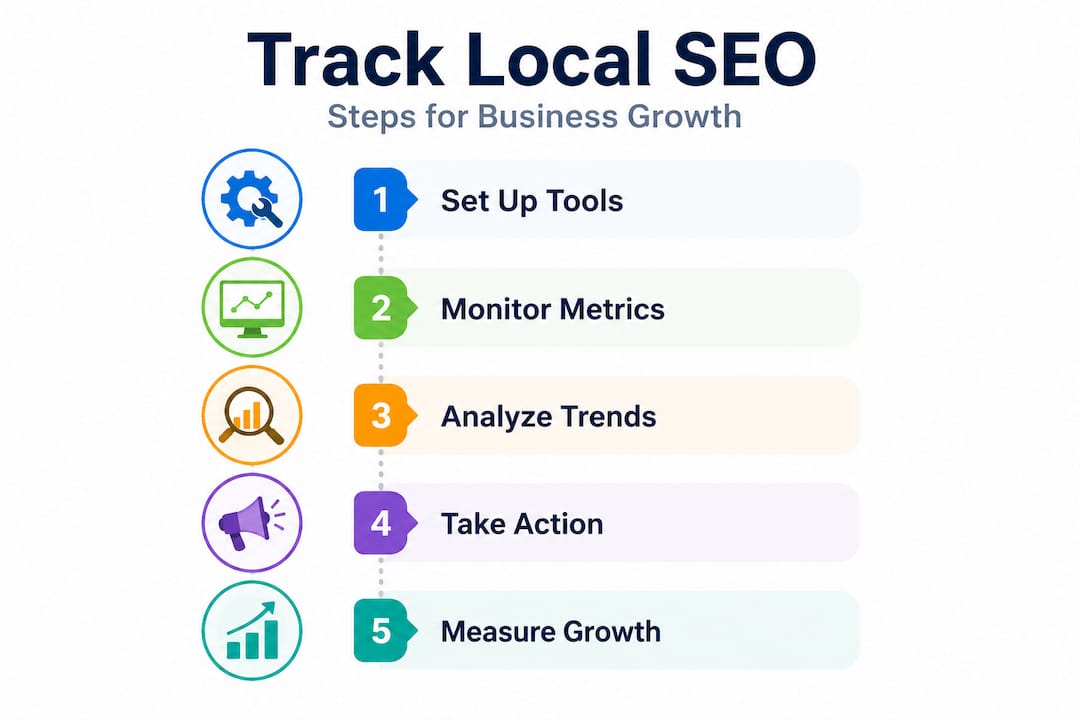
The foundation of accurate SEO tracking is establishing a solid baseline before you make any changes. You need to prioritize outcomes over vanity by tracking leads and revenue from organic and local search, not just traffic. Record your starting numbers, annotate your tests, and watch for cause and effect over time.
Follow these steps to build a reliable tracking routine:
-
Record your baseline metrics. Before changing anything on your website or GBP, screenshot or export your current numbers from all three tools. Write down your GBP calls, direction requests, Search Console impressions, and GA4 organic conversions for the past 90 days.
-
Set up conversion tracking in GA4. Create events for phone number clicks, form submissions, appointment bookings, and any other action that represents a real lead. Without this step, GA4 only shows you traffic, not results.
-
Create a simple tracking spreadsheet. Log your key metrics monthly. Use columns for the date, GBP calls, GBP direction requests, top keyword positions, organic conversions, and review count. Simple works. You don't need a complex dashboard.
-
Schedule a monthly review. Pick a specific date every month, like the first Monday, and review your numbers from the previous month compared to the month before. Look for trends, not single-day spikes.
-
Annotate every major change you make. Every time you update your GBP, add new pages, build citations, or run a promotion, write it down with the date in your spreadsheet. This creates a paper trail so you know what caused improvements. Without annotations, you're just staring at numbers and guessing.
-
Compare month-over-month and year-over-year. Local businesses often have seasonal fluctuations. A landscaping company in Georgetown will see natural search spikes in spring. Comparing March 2026 to March 2025 gives you a much cleaner read on real growth than comparing March to February.
Here's what to log each month as a minimum:
- GBP total views and search type (direct vs. discovery)
- GBP calls, direction requests, and website clicks
- Top 10 keyword impressions and average position from GSC
- Organic conversion count from GA4
- Total review count and average star rating
- Any major changes made that month
For businesses working on Georgetown SEO tips or expanding to neighboring communities, this same tracking process applies across all your target locations.
Pro Tip: Use Google Looker Studio (formerly Data Studio) to connect your GSC and GA4 data into a single, visual dashboard. It's free and takes about 30 minutes to set up with pre-built templates. Once connected, you see all your critical local SEO metrics in one place without manually pulling reports.
Common mistakes and how to get accurate results
Even well-intentioned business owners can fall into common traps when tracking SEO. Here's what to watch for so you don't waste time chasing the wrong numbers.
The biggest truth about local rankings is that they shift constantly. Rankings fluctuate by device, location, and personalization, so use aggregates and trends rather than single spot-checks. Mobile dominates local search, non-branded query growth reveals real opportunity, and AI overviews now reduce CTR by 58% in some categories, making direct action tracking even more critical.
Avoid these common mistakes:
-
Checking rankings manually every day. Searching Google for your business on your own device is one of the least reliable ways to check your rank. Google personalizes results based on your search history, your location at the time of the search, and your device. You'll almost always see an inflated position for yourself.
-
Only tracking branded searches. If every query driving traffic is people searching your business name, that's not SEO growth. That's people who already know you. Track non-branded queries like "nail salon Pflugerville" or "med spa near Round Rock" to measure real local SEO reach.
-
Ignoring mobile performance. The majority of local searches happen on phones. If your optimized website design isn't fast and user-friendly on mobile, your conversions will suffer even when your rankings are strong. Always check how your pages perform on mobile in both GA4 and Search Console.
-
Reacting to single-week dips. Google regularly updates its algorithm. A one-week drop in impressions or clicks is rarely a cause for panic. Look at 30 to 90-day trends before making any significant changes.
-
Ignoring the impact of AI-generated answers. Google's AI Overviews are showing up more frequently in local searches. Even if your ranking stays strong, users may get answers directly in the search result without clicking through. This means tracking GBP actions and direct calls becomes even more important than tracking website clicks alone.
"The business owners who grow fastest are not the ones who rank first. They're the ones who know exactly which ranking changes lead to more phone calls, and which ones don't matter at all."
That mindset shift changes everything about how you approach tracking. Focus on signals that connect to revenue, not signals that just feel good to look at.
What really matters when tracking local SEO: A hard-earned lesson
Here's something we've learned from working directly with businesses across Pflugerville, Austin, Round Rock, and Cedar Park. The business owners who get the most out of local SEO are almost never the ones obsessing over their rankings. They're the ones who obsess over their phone ringing.
We've seen it play out repeatedly. A local med spa spends months celebrating that they moved from position 8 to position 4 for a target keyword. Traffic goes up. Everyone is excited. Then someone checks the actual appointment bookings from organic traffic and finds almost nothing changed. The traffic increase came from a keyword that searchers browse but never act on. Position 4 for the wrong query is worth less than position 12 for the right one.
On the flip side, we worked with a service business in Pflugerville that had relatively modest traffic numbers but was generating 15 to 20 calls per month directly from their Google Business Profile. They weren't ranking number one across the board. They had a fully optimized GBP, a steady stream of fresh reviews, and their phone number prominently visible on a fast-loading mobile page. That combination drove a predictable flow of real leads every single month.
The lesson is this: rankings and traffic are inputs, not outcomes. They matter because they can lead to calls, visits, and revenue. But if you're only tracking the inputs, you'll miss whether the outputs are actually happening.
A strong in-depth local SEO guide will always connect strategy to measurable business results. That's the standard we hold ourselves to, and it's the standard you should hold your SEO efforts to as well.
Start measuring what actually moves your business forward: calls, direction requests, form submissions, and booked appointments. Everything else is context.
Get expert help to track and grow your local SEO
Tracking local SEO results is manageable when you have the right tools and a clear process, but building that foundation takes time and attention to detail that most small business owners simply don't have available. If you're ready to stop guessing and start growing, we're here to help.

At ourLocalSEO, we work with businesses across Pflugerville, Austin, Round Rock, Georgetown, Cedar Park, and the surrounding communities to build and monitor local SEO strategies that drive real leads. Whether you're starting from scratch or trying to make sense of the numbers you're already seeing, our team provides hands-on guidance tailored specifically to your location and your market. Explore our local SEO tricks for quick wins, or start with our full step-by-step local SEO guide to understand the complete picture. Let's make your SEO work for your bottom line.
Frequently asked questions
Which SEO metric should Pflugerville businesses prioritize?
Focus on leads (calls, forms) and conversions from local organic traffic because outcomes over vanity matter more than raw rankings or visits. A high ranking that produces no calls is not a win.
How often should I check my SEO results for meaningful trends?
Review key SEO metrics weekly or monthly to spot real trends, since rankings fluctuate by device and personalization. Daily checks create anxiety but rarely reveal meaningful patterns.
Why do my local search rankings look different on my phone and computer?
Search results vary based on device, your location at the time of search, and your browsing history, so use aggregate trends rather than single manual checks for accurate performance measurement.
Can AI features impact my local SEO results?
Yes. AI overviews reduce CTR significantly in some search categories, which means tracking direct actions like GBP calls and direction requests is now more important than tracking website clicks alone.