

Running a great business in Central Texas means little if customers can't find you online. When someone in Round Rock searches "nail salon near me" or a Georgetown resident looks for a med spa, Google's local map pack decides who gets that call. Your Google Business Profile (GBP) is the single most powerful free tool you have to compete in that space. This guide walks you through every practical step, from claiming your profile to monitoring performance, so your business shows up where it matters most and converts more searchers into real customers.
Table of Contents
- Claim, verify, and set up your profile
- Maintain NAP consistency and select your categories
- Build trust through ethical reviews and active engagement
- Monitor performance and troubleshoot common mistakes
- A deeper look: Why steady activity beats one-time optimization
- Boost your Google profile with professional local SEO support
- Frequently asked questions
Key Takeaways
| Point | Details |
|---|---|
| Claim and verify profile | Controlling your profile unlocks key features and ensures accuracy for customers. |
| NAP consistency matters | Exact match of business name, address, and phone builds trust and avoids Google penalties. |
| Reviews drive visibility | Regular, ethical review activity boosts rankings more than total review count. |
| Categories impact rankings | Primary and secondary category choices are some of the strongest signals for local search. |
| Active engagement is vital | Ongoing updates, monitoring, and responding to inquiries keep your business competitive. |
Claim, verify, and set up your profile
Getting started begins with claiming your business profile. Before you can do anything else, you need to establish ownership. Without a verified profile, competitors and even random users can suggest edits to your listing, and those changes go live without your approval. That is not a risk worth taking.
Here is how to claim and verify your Google Business Profile step by step:
- Go to Google Business Profile and search for your business name.
- If your business appears, select it and click "Claim this business." If not, select "Add your business to Google."
- Choose your business category and enter your address or service area.
- Select a verification method. Google offers phone, email, postcard, or video verification depending on your business type.
- Complete the verification process and wait for confirmation. Postcard verification can take up to 14 days; phone and email are typically instant.
You must claim and verify your GBP to gain full control and enable edits. Until verification is complete, many features are locked, including posting updates and responding to reviews.
Once verified, you will see a Profile Strength indicator inside your dashboard. Think of this as your GBP report card. It tells you which sections are incomplete and gives you a score that correlates with how competitive your listing will be. Take it seriously.
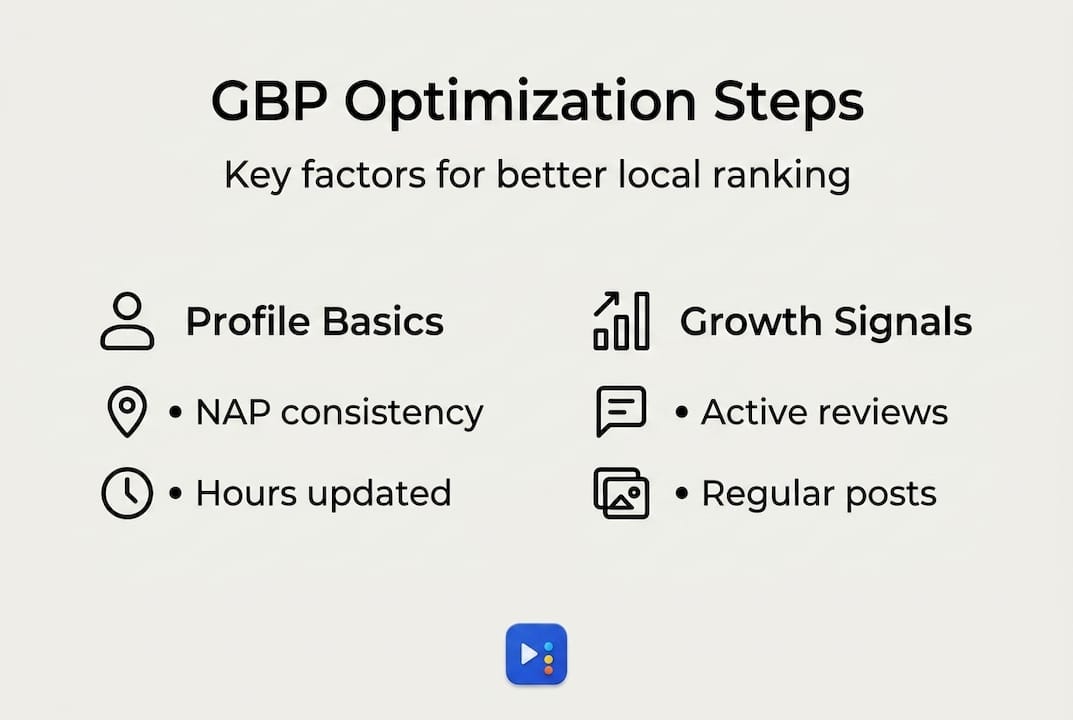
Fill out every section available:
| Profile section | Why it matters |
|---|---|
| Business hours | Prevents customer frustration from showing up at the wrong time |
| Attributes | Highlights features like "women-owned" or "wheelchair accessible" |
| Services and products | Helps Google match your listing to specific search queries |
| Business description | Tells customers who you are and what sets you apart |
| Photos | Increases engagement and click-through rates significantly |
Pro Tip: Be meticulous about accuracy from day one. Even a small mismatch, like listing your address differently than what appears on your website, can confuse Google and hurt your local rankings before you even get started.
Maintain NAP consistency and select your categories
With your profile claimed and initial details added, consistency and classification become your foundation. NAP stands for Name, Address, and Phone number. These three pieces of information need to match exactly across every platform where your business appears, including your website, Yelp, Facebook, Apple Maps, and local directories.

Google cross-references your business information across the web to confirm you are a legitimate, established business. When it finds conflicting data, trust drops, and so does your ranking. You should use your exact real-world business name without adding keywords or location terms to it. For example, "Austin Glow Med Spa" is fine. "Austin Glow Med Spa Best Botox Georgetown TX" is a violation that can get your profile suspended.
Here is what strong NAP consistency looks like in practice:
- Your business name on GBP matches the name on your storefront signage exactly.
- Your address format is consistent down to whether you abbreviate "Street" as "St." or spell it out.
- Your phone number uses the same format everywhere, such as (512) 555-0199, not 512.555.0199 on one site and 5125550199 on another.
- You have only one GBP per physical location. Multiple profiles for the same address create duplicate listing issues that can harm both.
The importance of accurate business information extends beyond Google alone. Customers use multiple platforms to research businesses before they visit. Inconsistent data at any point in that journey creates doubt.
Warning: Businesses that stuff keywords into their business name, create duplicate profiles, or list inaccurate addresses face automatic or manual suspension. Once suspended, recovering a profile can take weeks and requires submitting formal appeals to Google support. Avoid the shortcut entirely.
Choosing the right categories is equally critical. Select the most specific primary category that matches your core business, then add relevant secondary categories to expand your reach. If you run a nail salon that also offers waxing, your primary category should be "Nail Salon" and a secondary category could be "Waxing Hair Removal Service." This combination tells Google exactly what services you offer and when to show your listing for related searches.
Getting your categories right also plays a direct role in improving Google Maps ranking because Google uses them to decide which searches your profile is eligible to appear in. A business categorized incorrectly will miss entire groups of high-intent customers, even if every other part of the profile is perfect.
Pro Tip: Review your competitor profiles to see which categories they use. This gives you a quick read on which options are relevant for your industry without guessing.
Build trust through ethical reviews and active engagement
Once profile details are optimized, building a trustworthy reputation through reviews is the next step. Reviews are one of the strongest ranking signals in local search. They also directly influence whether a potential customer chooses your business or scrolls past it. A profile with 12 reviews from the past month will typically outperform one with 200 reviews where the most recent is from two years ago.
Here is a proven process for requesting reviews ethically:
- Ask every customer shortly after their service is complete, while the experience is still fresh.
- Make the ask personal and specific. Say "We would love your feedback on your visit today" rather than a generic request.
- Send a follow-up text or email with a direct link to your GBP review page to remove any friction.
- Never offer discounts, free services, or any incentive in exchange for a review. This violates Google's policies and can result in the removal of all your reviews, not just the ones that were incentivized.
- If a customer declines, respect the decision. Pressure damages relationships and your reputation.
You should request reviews ethically and respond to all within 48 hours, prioritizing recency over total count. Review velocity, meaning the steady pace at which new reviews arrive, has a stronger ranking impact than simply accumulating a large number over time.
often see their rankings slip, even if they had strong standing previously.Responding to reviews matters just as much as collecting them. Here is how to approach responses:
- Positive reviews: Thank the customer by name, mention a specific detail from their feedback, and invite them back. This signals to potential customers that you are attentive and genuinely care.
- Negative reviews: Respond calmly, acknowledge the concern without admitting fault unnecessarily, and offer to resolve the issue offline. Never argue publicly. A thoughtful response to a bad review often impresses potential customers more than a perfect score.
- No-text reviews (just a star rating): Still respond. A simple "Thank you for your rating, we hope to see you again soon!" shows you are engaged.
Consistent review engagement also supports ranking your business for more clients, especially in competitive markets like Austin and Round Rock where multiple businesses in the same category are fighting for the same top-three map pack spots.
For additional context on earning genuine customer trust, reviewing customer review tips from a customer perspective can help you understand what language and timing resonates most.
Pro Tip: Build a simple system, whether a QR code at your checkout counter or a short text template saved in your phone, to make asking for reviews a consistent habit rather than an afterthought.
Monitor performance and troubleshoot common mistakes
Consistent engagement is key, but monitoring and troubleshooting ensure lasting success. Many business owners complete their initial setup and then step away, assuming the profile will run itself. It will not. Google's algorithm rewards active profiles, and a neglected listing can lose ground to competitors who are posting updates, adding photos, and responding to reviews weekly.
Use these two built-in tools to stay on top of your profile health:
| Tool | What it shows | How often to check |
|---|---|---|
| Profile Strength | Sections needing completion or improvement | Monthly |
| GBP Insights | Search queries, views, direction requests, calls | Weekly or bi-weekly |
You should use the Profile Strength tool to identify gaps and monitor Insights for performance on a regular schedule. Insights will show you what search terms people used to find your listing, which helps you understand whether your categories and description are attracting the right audience. If you are a med spa but most of your search impressions come from "nail salon near me," something in your profile setup needs adjusting.
Common mistakes that cause ranking drops or suspensions include:
- Listing incorrect hours, especially during holidays or seasonal changes.
- Using a suite number format that differs from how your address is registered elsewhere.
- Uploading low-quality or irrelevant photos that reduce engagement.
- Leaving the Q&A section unanswered, which allows anyone to answer your customers' questions on your behalf.
- Ignoring the Google profile performance tracking data available through Insights, making it impossible to spot problems early.
One edge case worth knowing: service businesses may list 24/7 hours if they can genuinely respond at all times, such as with an answering service, but accuracy is critical. Setting 24/7 hours when your phones go unanswered at night signals to both customers and Google that your information is unreliable.
Keyword stuffing in your business name and NAP inconsistencies remain the top causes of profile suspensions. Resolving a suspension typically involves submitting a reinstatement request and providing supporting documentation like utility bills, business licenses, or photos of your storefront. The process can take anywhere from one to several weeks, depending on Google's review queue. That downtime costs you visibility and revenue, which is why prevention matters far more than recovery.
Set up a recurring monthly calendar reminder to review your profile for outdated information, respond to any unanswered questions or reviews, and add at least one or two fresh photos. This simple routine keeps your listing active without requiring a major time investment.
A deeper look: Why steady activity beats one-time optimization
Here is something we have seen consistently with businesses across Pflugerville, Cedar Park, and Manor: owners put serious effort into their GBP when they first set it up, then treat it like a "done" task. The profile looks complete, the hours are accurate, the photos are uploaded. And then, six months later, rankings start sliding, and no one can figure out why.
The uncomfortable truth is that Google rewards recency and activity as signals of a live, relevant business. A competitor who posts weekly updates, responds to every review, and regularly adds new photos will outrank a technically perfect but inactive profile. Completeness gets you in the game. Activity keeps you winning.
We strongly encourage business owners to shift from thinking of GBP optimization as a project to thinking of it as a routine, much like restocking shelves or following up with clients. Set a monthly reminder. Spend 20 minutes. Check your Insights, add a photo, respond to any open reviews, and make sure your hours still reflect reality.
Your local competitors who rank ahead of you are likely not doing anything mysterious. They are just more consistent. Staying active through ongoing Google Maps optimization is genuinely one of the highest-return habits a local business can build.
Boost your Google profile with professional local SEO support
Optimizing your GBP is a strong starting point, but it is one piece of a larger local SEO strategy that includes citation building, on-page website optimization, and review generation.

At ourLocalSEO, we specialize in helping Central Texas businesses compete and win in local search. Whether you need help getting started with our local SEO guide, want targeted support through our Georgetown local SEO help services, or need a stronger web presence through website design that converts visitors, we handle the details so you can focus on running your business. Reach out today and let us build a strategy tailored to your location and your goals.
Frequently asked questions
How long does it take to verify my Google Business Profile?
Verification typically takes a few days depending on the method chosen, such as postcard, phone, or email. Postcard verification can take up to 14 days, while phone and email verification are usually instant.
Can I use keywords in my business name to improve rankings?
No, using keyword-stuffed names violates Google's guidelines and risks suspension. Always use your real business name exactly as it appears on your storefront or legal registration.
How often should I update my Google Business Profile?
Review and update your profile at least monthly or whenever a significant business change occurs. The Profile Strength tool will flag gaps, and consistent updates signal to Google that your business is active.
What matters more for rankings: review count or review frequency?
Steady new review flow (review velocity) has a stronger impact on rankings than your total review count. Businesses that slow down on collecting new reviews typically see a decline in their map pack visibility over time.
Is it okay to list 24/7 hours if I provide answering services?
Yes, but only if you can genuinely respond at all times. Setting inaccurate hours damages your credibility with both customers and Google, so only list 24/7 if your answering coverage is real and consistent.