
Images are silently sabotaging the websites of small businesses across Central Texas. Images account for 50-75% of total page weight on most websites, and that extra load time drives away customers before they ever read your first sentence. If you run a nail salon in Pflugerville, a med spa in Round Rock, or a service business anywhere in the Austin area, slow images are costing you real appointments. This guide walks you through exactly what unoptimized images cost you, how optimization boosts your local search rankings, and the practical steps to fix it today.
Table of Contents
- How unoptimized images harm your website
- How image optimization boosts SEO and user experience
- Best practices for image optimization in 2026
- Common pitfalls and advanced tips for Central Texas businesses
- Our perspective: The practical truth about image optimization
- Boost your site's results with professional support
- Frequently asked questions
Key Takeaways
| Point | Details |
|---|---|
| Images impact speed | Images make up over half of most web pages, directly slowing your site if not optimized. |
| Higher SEO rankings | Optimized images improve Core Web Vitals, helping your business rank better locally. |
| More conversions | Every second saved in loading can prevent lost customers and means more sales or bookings. |
| Best practices matter | Using modern formats, correct sizing, and smart lazy loading gets you the most benefit. |
How unoptimized images harm your website
Most small business owners think their website looks fine because it loads on their office Wi-Fi without a hitch. But your customers are checking you out on mobile networks while sitting in a parking lot or waiting at a stoplight. That's a very different experience.
The numbers tell a clear story. Median desktop pages transfer over 1,059KB of images alone, making images the single largest category of page weight. A site packed with high-resolution photos from a recent photoshoot is a common offender. Every extra kilobyte your customer's phone has to download is another fraction of a second they're staring at a blank screen.
Why this matters for your bottom line:
- Slow pages push visitors to hit the back button and call your competitor instead
- Google measures load speed as a direct ranking factor for local search results
- Mobile users in Central Texas expect pages to load in under 3 seconds
- A 100ms delay reduces conversions by roughly 1%, and a full 1-second delay can drop conversions by up to 7%
Imagine a local HVAC contractor with a gallery page showing 40 full-resolution before-and-after photos. Each image is 3-5MB straight from the camera. A homeowner in Cedar Park searches for AC repair, lands on that gallery page, and waits. And waits. They leave within 4 seconds and book the competitor who had a faster site. That scenario plays out dozens of times a day for businesses running unoptimized sites.
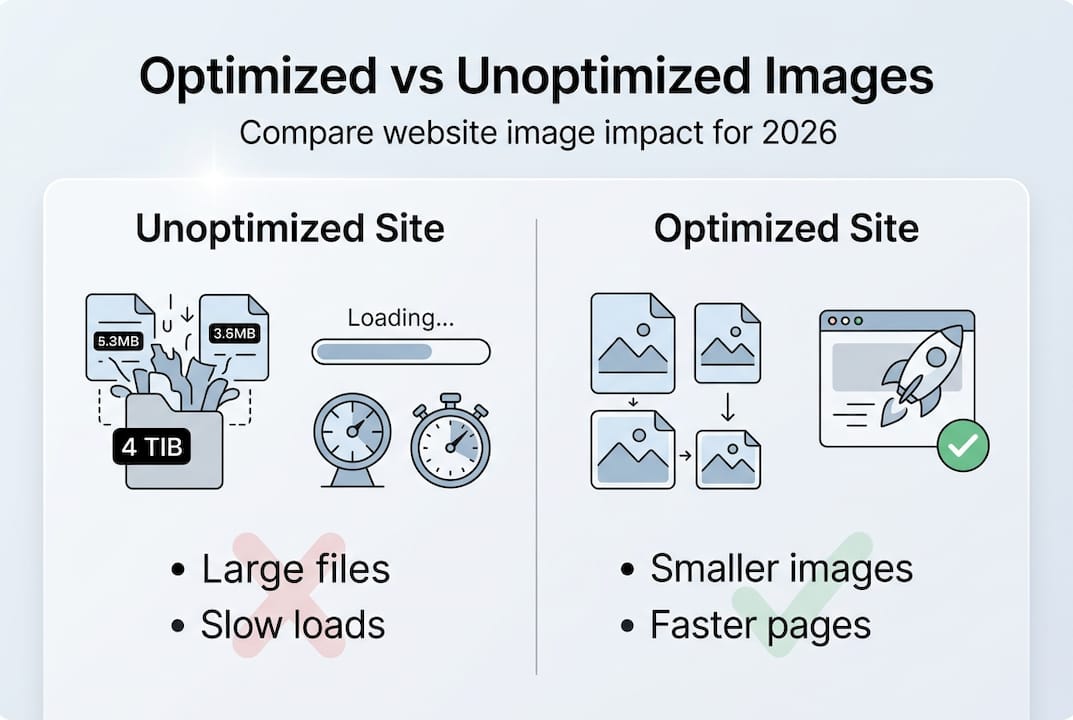
| Factor | Unoptimized site | Optimized site |
|---|---|---|
| Avg. image page weight | 2MB+ | Under 400KB |
| Mobile load time | 6-10 seconds | Under 3 seconds |
| Bounce rate impact | High | Reduced significantly |
| Local search ranking | Suppressed | Improved |
You can explore more web performance tips to understand how even small improvements stack up fast. Pairing this with solid website design best practices gives your business the foundation it needs to convert visitors into paying customers. The connection between image weight, load speed, and lost revenue is direct, measurable, and fixable.
How image optimization boosts SEO and user experience
Google doesn't just look at your content when deciding where to rank your site. It measures how fast and stable your pages are through a set of signals called Core Web Vitals. Images are at the center of all of them.
The three Core Web Vitals most affected by images are:
- LCP (Largest Contentful Paint): Measures how long it takes for the biggest visible element (usually a hero image) to load. Google considers anything under 2.5 seconds as good.
- CLS (Cumulative Layout Shift): Measures how much your page jumps around while loading. Images without defined dimensions cause layout shifts that frustrate users.
- INP (Interaction to Next Paint): Measures responsiveness. Heavy image processing can slow down how quickly your page reacts to taps and clicks.
LCP is driven by images on 85% of desktop pages and 76% of mobile pages. That means if your LCP score is poor, the fix almost always starts with your images. Improving Core Web Vitals through proper optimization techniques is one of the most direct ways to climb local search rankings.
Did you know? LCP image optimization affects 70-90% of cases where Core Web Vitals scores are poor. Fixing your hero image alone can dramatically improve your site's Google score.
Beyond rankings, optimized images change how customers experience your site. When a page loads quickly and smoothly, visitors spend more time browsing your services, reading your reviews, and clicking your contact button. A Georgetown restaurant that cut its homepage image weight in half saw mobile session duration increase by over 30%. That's the kind of outcome that turns a website into a lead-generation machine.

For businesses targeting "near me" searches in Pflugerville, Austin, or Round Rock, speed is even more critical. Mobile users searching locally have high intent and low patience. Your local SEO guide can show you how image performance fits into the broader picture of ranking in your area.
Best practices for image optimization in 2026
Optimizing images doesn't require a developer or expensive software. These steps are practical, repeatable, and effective for any small business website.
- Choose the right file format. Use AVIF or WebP for photos. These modern formats are 25-50% smaller than JPEG at the same visual quality. Use PNG only for logos, icons, and graphics with sharp edges or text, where lossless compression keeps details crisp.
- Resize images to their display size. Never upload a 4,000-pixel-wide photo when it will display at 800 pixels wide. Oversized images waste bandwidth on every page load.
- Compress to 80-85% quality. Pushing quality to 100% creates files that are 3 to 5 times larger with no visible improvement. An 80-85% quality setting is the sweet spot for sharp, fast images.
- Lazy load below-the-fold images only. Images that appear lower on the page can load as the user scrolls down. But never lazy load your hero image, the first visible image on the page.
- Add width and height attributes. This prevents layout shift (CLS) by reserving the correct space before the image loads.
- Use srcset for responsive images. This tells the browser to load the right image size based on the device screen, which is critical for mobile users.
- Preload your LCP image. Add a preload tag for your main hero image so the browser starts downloading it immediately.
| Format | Best use case | Compression | Browser support |
|---|---|---|---|
| JPEG | Photos (legacy) | Lossy | Universal |
| WebP | Photos, graphics | Lossy/lossless | Excellent |
| AVIF | Photos | Lossy/lossless | Good (modern browsers) |
| PNG | Logos, UI, text | Lossless | Universal |
Pro Tip: After compressing images, view them on both a desktop monitor and a smartphone to confirm the quality still looks sharp. Your customers will notice blurry images even if they can't explain why they left your site.
Businesses that follow these steps consistently rank better and see real results. Check out how image speed connects to ranking on Google Maps and apply these local SEO tricks to strengthen your overall presence.
Common pitfalls and advanced tips for Central Texas businesses
Even business owners who know the basics make costly mistakes. Here are the most common ones we see, and how to avoid them.
Mistakes that hurt performance:
- Uploading the original camera file (often 5-20MB) directly to your website
- Using PNG for full-color photos, which creates unnecessarily large files
- Using AVIF or WebP for logos with fine text, which can introduce compression artifacts
- Setting quality to 100% wastes 3 to 5 times the file size with no visible benefit
- Lazy loading the hero or top-of-page image, which delays the LCP score and tanks your rankings
Watch out: Lazy loading your main banner image is one of the most common technical SEO mistakes we fix for new clients. It feels like smart optimization but it actually works against you.
For more advanced workflows, consider these techniques. First, apply denoising before heavy JPEG compression to reduce the grainy artifacts that show up in shadows and flat color areas. Second, use responsive srcset attributes so retina screens on iPhones and high-resolution displays get a sharper version without slowing down standard screens. Third, automate your image processing with tools like Cloudinary, Imagekit, or your CMS's built-in optimizer so every new upload is handled consistently.
Pro Tip: Ask two or three real customers in your area to pull up your website on their phones and tell you how it feels. Their unfiltered reaction tells you more than any tool score. If they pause or look confused, your page speed is still getting in the way.
For optimizing JPEGs further after conversion, there are specific techniques that preserve quality while trimming file size even more. Browse our local portfolio examples to see how optimized sites look in practice, and learn how we apply these principles for Austin business SEO clients every day.
Our perspective: The practical truth about image optimization
Online guides tend to make image optimization sound like an all-or-nothing project. Either you implement every technique perfectly or your site is broken. That's not our experience working with real small businesses in Central Texas.
What actually moves the needle is consistent, incremental improvement. Resize your images, switch to WebP, and set a reasonable compression level. Do that for your 10 most-visited pages and you will see a real difference in load time and customer behavior. You don't need a perfect Google PageSpeed score to win more calls.
We've also seen business owners chase the newest image format obsessively while ignoring bigger issues like uncompressed hero images or missing alt text. Focus on what impacts your customers. Crisp, fast images on a mobile-friendly site consistently drive more calls and appointments than chasing a 100/100 score.
For Central Texas businesses competing in local search, the goal is simple: load fast enough that customers stay, and look good enough that they trust you. Our clients who follow core optimization steps, tracked through local SEO results, consistently see improvements in Google rankings and lead volume within weeks, not months.
Boost your site's results with professional support
Image optimization is one piece of a larger puzzle. Getting your site to dominate local search in Pflugerville, Austin, Round Rock, or anywhere in Central Texas takes a coordinated strategy, including on-page SEO, Google Business Profile optimization, citations, and review generation.

At YourLocalSEO, we handle the full picture for small businesses who want real leads, not just better scores. From website performance to local rankings, we build strategies tailored to your market. Start with our complete local SEO guide to see exactly how all the pieces fit together, then reach out for a consultation. We're ready to help your business get found.
Frequently asked questions
What is the simplest way to optimize images for my business website?
Resize images to their actual display size and save them in WebP or AVIF format, which are 25-50% smaller than JPEG at the same quality level.
How much faster can my website get after optimizing images?
Most sites see 60-80% reduction in image file weight after optimization, which translates directly into faster load times and improved conversion rates.
Will better image optimization actually help my business rank higher locally?
Yes. Image speed directly affects Core Web Vitals scores, which Google weighs as part of local search ranking, so faster images mean better visibility in your area.
Should I lazy load all my website images?
No. Never lazy load your hero or first-visible image because it delays the LCP score, which hurts both user experience and your Google ranking.