

A Google Business Profile (GBP) is a free tool that lets you manage how your business appears on Google Search and Google Maps. Setting it up costs nothing, and the payoff is direct: customers searching for your type of business in your area can find you, call you, and get directions without ever visiting your website. For small businesses competing in local markets, this is one of the highest-return moves available. This business profile setup tutorial walks you through every step, from gathering your information to verifying your listing and keeping it sharp for 2026's AI-driven search environment.
What do you need before starting your Google Business Profile setup?
Preparation prevents mistakes. Gather everything below before you open a browser tab.
The accounts and details you need:
- A Google or Gmail account. This will be the owner account for your profile. Use a business email if possible, not a personal one.
- Your exact legal business name. It must match your real-world signage, receipts, and incorporation documents. No extra keywords, no city names added in.
- Your primary business category. Think about what your customer would type into Google. "Nail salon," "HVAC contractor," and "med spa" are all valid categories.
- A physical address or service area. Brick-and-mortar locations add an address. Service-area businesses (plumbers, landscapers) list the zip codes or cities they serve instead.
- A local phone number. A local area code sends a geographic relevance signal to Google's algorithm. A toll-free number does not carry the same weight.
- Your website URL. Even a basic site helps Google connect your profile to your broader web presence.
- Business hours. Include holiday hours if your schedule changes seasonally.
Pro Tip: Write all of this information into a simple document before you start. You will reference it again when building citations, updating your website footer, and responding to verification requests. Consistency across every source is what Google's algorithm rewards.
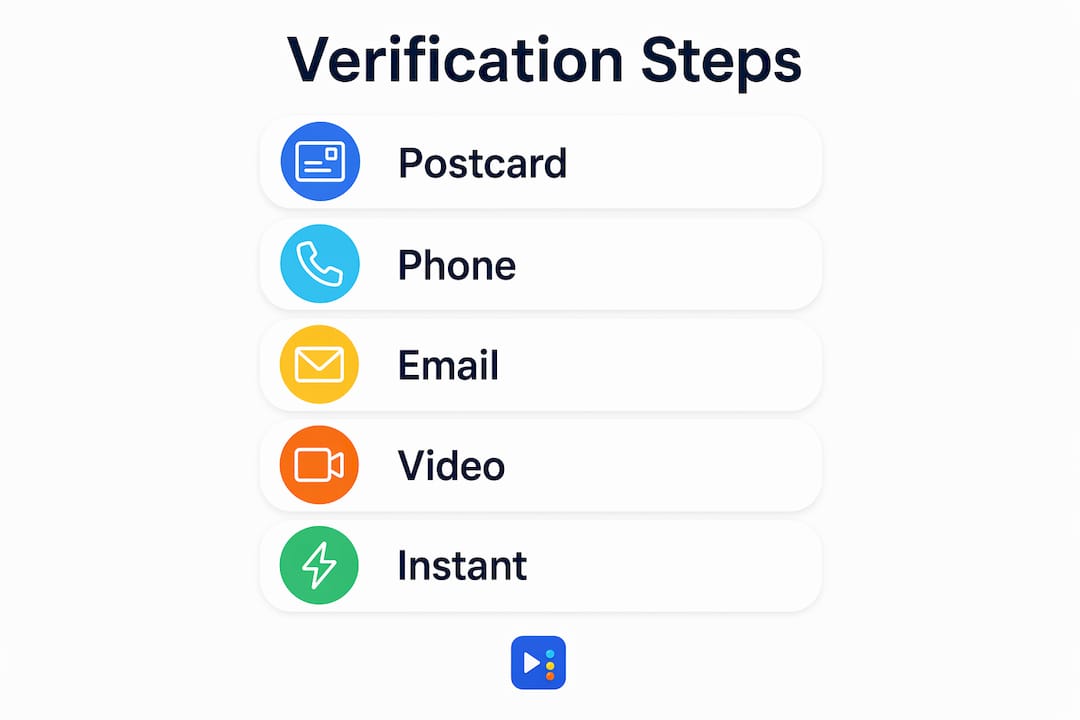
Verification is the step most business owners underestimate. Google offers several methods, including postcard, phone, email, and video. The method Google assigns you depends on your business type and location. Knowing this ahead of time means you will not be caught off guard.

How do you create and verify your Google Business Profile step by step?
Follow these steps in order. Skipping ahead causes errors that slow down verification.
-
Go to business.google.com. Sign in with your Google account. If you are already signed in, you will land on the GBP dashboard.
-
Search for your business name. Google will show existing profiles that match. Claim via Google Search or Maps if your business already appears. This is often faster than using the dashboard directly.
-
Claim an existing profile or create a new one. If your business appears in the results, click it and select "Claim this business." If nothing appears, select "Add your business to Google."
-
Enter your business name exactly. Type it as it appears on your signage. No additions, no keyword phrases.
-
Select your primary category. Choose the most specific category that fits your core service. You can add secondary categories later.
-
Choose your location type. Select "Yes" if customers visit your physical location. Select "No" if you go to them. Service-area businesses enter the regions they cover.
-
Add your contact information. Enter your local phone number and website URL.
-
Proceed to verification. Google will present the method it has selected for your account.
Verification methods at a glance:
| Method | How it works | Typical timeline |
|---|---|---|
| Postcard | Google mails a code to your address | 5–14 days |
| Phone or email | Google sends a code instantly | Minutes |
| Video | You record a 30-second walkthrough of your location | 1–3 days for review |
| Live video call | A Google rep watches you verify in real time | Scheduled |
Video verification is now mandatory for some profiles. Google requires an unedited 30-second clip showing your storefront, interior, and proof of operations. Film it in one continuous take with good lighting. A shaky, dark video will be rejected.
What if someone else already manages the profile?
If an existing profile shows a different owner, click "Request Access." The current owner has 3 days to respond. After 3 days without a reply, Google sends you a link to claim the profile directly. Do not create a duplicate listing while you wait. Duplicate profiles confuse Google's algorithm and can suppress both listings.
Pro Tip: If you are a service-area business and you skip adding a physical address, Google will still verify you. Just make sure your service area covers the cities where you actually work. Listing a 100-mile radius when you only serve three zip codes hurts your local relevance.
How to optimize your Google Business Profile after setup
Verification is the starting line, not the finish line. A verified profile unlocks the management features that actually drive customer interaction: posts, photos, messaging, and descriptions. Use all of them.
Keep your NAP consistent everywhere
NAP stands for Name, Address, and Phone. Your NAP on your GBP must match your website footer, your Yelp listing, your Facebook page, and every other directory where your business appears. Inconsistent core information confuses Google's AI-driven search algorithms and can push your listing down in local results. This is one of the most common and most damaging mistakes we see at Yourlocalseo.
Add photos, posts, and a business description
Profiles with photos receive significantly more requests for directions and more clicks to websites than profiles without them. Add at least five photos: your storefront exterior, your interior, your team, your products or services, and a logo. Write a business description that explains what you do, who you serve, and what makes you different. Keep it under 750 characters and skip the keyword stuffing.
Google Posts work like mini-announcements that appear directly on your profile. Use them to promote offers, announce events, or share updates. Posts expire after seven days, so set a weekly reminder to publish a new one.
Ongoing optimization checklist:
- Respond to every review, positive and negative, within 48 hours
- Update your hours for holidays and special events
- Add new photos at least once a month
- Use the Q&A section to answer common customer questions proactively
- Enable messaging so customers can text you directly from your profile
Pro Tip: The business description is not a place for keywords. Write it the way you would describe your business to a neighbor. Google reads it for context, not for ranking signals. Keyword stuffing in the description field is a waste of space and risks a policy flag.
For a deeper look at profile features that move the needle, the Google Business Profile optimization guide from Yourlocalseo covers advanced tactics for local map pack rankings.
Understanding how AI-driven search affects visibility helps you prioritize which profile fields matter most in 2026's search environment.
What are the most common Google Business Profile mistakes to avoid?
Most GBP problems trace back to a small number of predictable errors. Knowing them in advance saves hours of troubleshooting.
The mistakes that hurt businesses most:
- Keyword stuffing in the business name. Adding keywords or city names to your business name field violates Google's guidelines and triggers suspension. Your business name field must contain only your real business name.
- Duplicate listings. If you or a previous employee created a second profile, Google may suppress both. Search your business name in Google Maps and report any duplicates you find.
- Inconsistent NAP. A phone number that differs between your website and your GBP is enough to confuse the algorithm. Audit every directory listing you have.
- Ignoring verification. An unverified profile has limited visibility. Complete verification as soon as Google prompts you.
- Choosing the wrong category. Selecting "Restaurant" when you run a food truck changes which features and search queries your profile qualifies for. Choose the most accurate category available.
Pro Tip: Before you submit your video verification, walk through the checklist: your business name is visible on signage, you show the exterior and interior, and the video is under 30 seconds with no cuts. Google's review team rejects videos that look staged or edited.
Ownership disputes are more common than most business owners expect. If a former employee or marketing agency claimed your profile, use the "Request Access" flow and document your ownership with photos, utility bills, or business licenses. Google's support team can escalate disputes that do not resolve through the standard process.
For a full list of errors that affect local rankings beyond GBP, the local SEO mistakes guide from Yourlocalseo covers citation errors, on-page issues, and more.
Key Takeaways
A complete, verified, and consistently maintained Google Business Profile is the single most effective free tool a small business owner can use to appear in local search results.
| Point | Details |
|---|---|
| Setup is free | Creating and managing a Google Business Profile costs nothing as of 2026. |
| Use your exact business name | Never add keywords or city names to the business name field; violations cause suspension. |
| Local phone number matters | A local area code signals geographic relevance to Google's search algorithm. |
| Verification unlocks features | Only a verified profile can use posts, photos, messaging, and full customer engagement tools. |
| NAP consistency is non-negotiable | Your name, address, and phone must match across every online directory and your website. |
What I have learned helping small businesses get verified
The businesses that struggle most with Google Business Profile are not the ones who make technical errors. They are the ones who treat setup as a one-time task. I have worked with nail salons in Pflugerville and service contractors in Round Rock who set up their profiles correctly, then never touched them again. Six months later, their listings had outdated hours, zero photos, and no reviews. Their competitors, who posted weekly and responded to every review, were ranking above them in the local map pack.
The verification step is where I see the most frustration. Business owners expect a postcard, but Google assigns video verification instead. They are not prepared, they film a dark, shaky clip on their phone, and Google rejects it. The fix is simple: treat the video like a short walkthrough you would give a new employee. Show the front door, the sign, the interior, and something that proves you operate there, like a receipt printer or a service vehicle.
The local phone number tip is one that surprises people. Most business owners assume Google only cares about their address. A local area code is a quiet but real ranking signal. If you are using a national 800 number as your primary contact, switching to a local number is a low-effort change with a measurable impact on local search relevance.
My honest advice: spend 30 minutes on setup, then commit to 15 minutes a week on maintenance. That rhythm, consistently applied, outperforms a perfect profile that goes untouched.
— Tran
How Yourlocalseo helps you get your profile right the first time
Setting up a Google Business Profile correctly from day one saves weeks of troubleshooting later. Yourlocalseo specializes in GBP setup, verification support, and ongoing profile management for small businesses across Pflugerville, Austin, Round Rock, and the surrounding Central Texas area.

We handle the details that trip most business owners up: category selection, NAP audits, photo uploads, and verification coordination. Our clients skip the guesswork and start showing up in local search results faster. Whether you are starting from scratch or cleaning up a profile that has been neglected, the team at Yourlocalseo is ready to help you compete in your local market.
FAQ
Is Google Business Profile really free to set up?
Yes. Google Business Profile setup is completely free with no subscription fees or one-time charges as of 2026.
How long does Google Business Profile verification take?
Verification time depends on the method Google assigns. Phone and email verification take minutes, while postcard delivery takes 5–14 days and video review typically takes 1–3 days.
What happens if someone else already claimed my business profile?
Use the "Request Access" option on the profile. If the current owner does not respond within 3 days, Google provides a link to claim the profile yourself.
Can I add keywords to my business name to rank higher?
No. Keyword stuffing in the business name violates Google's guidelines and can result in profile suspension. Use only your real business name as it appears on your signage.
Does a local phone number really affect my local search ranking?
Yes. Using a local area code sends a geographic relevance signal to Google's algorithm. A toll-free number does not carry the same local ranking benefit.