
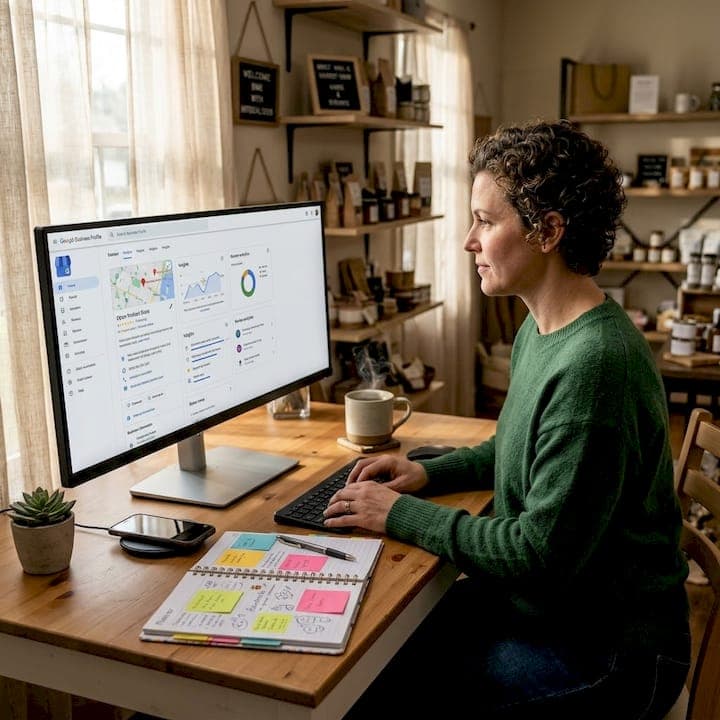
Getting found on Google Maps is one of the highest-impact things a local business can do right now. These google maps optimization tips cut through the noise and focus on what actually moves the needle: the ranking signals Google weighs most, the profile elements that drive calls and clicks, and the ongoing habits that separate businesses that dominate the local map pack from those that barely appear. Whether you run a nail salon in Pflugerville or a service company in Round Rock, this guide gives you a clear, proven path to better visibility.
Table of Contents
- Key takeaways
- 1. Understanding the core ranking criteria on Google Maps
- 2. Optimize your Google Business Profile completeness and categories
- 3. Leverage reviews to boost prominence and customer trust
- 4. Use photos and posts strategically for an active profile
- 5. Actionable tactics to monitor and improve your ranking
- My honest take on what local businesses get wrong
- Ready to stop guessing and start ranking?
- FAQ
Key takeaways
| Point | Details |
|---|---|
| Prominence drives rankings most | Reviews, profile completeness, and active engagement account for 60% of your Google Maps ranking. |
| Category accuracy matters | Choosing the right primary and secondary categories directly shapes which searches your business appears in. |
| Review velocity beats volume | A steady flow of recent reviews outperforms a large number of old ones every time. |
| Photos signal activity | Uploading 3 to 5 new photos monthly tells Google your business is active and current. |
| Consistency sustains rankings | NAP accuracy, regular posts, and prompt review responses prevent ranking decay over time. |
1. Understanding the core ranking criteria on Google Maps
Before applying any google maps optimization tips, you need to know what Google actually measures. Three signals determine where your business appears in local search results.
The three main Google Maps ranking factors:
- Prominence (60%): This is the biggest lever you control. It includes your review count, review quality, how complete your profile is, and how active you are. Prominence is built through reviews, profile completeness, and ongoing activity.
- Relevance (25%): Google needs to match your business to what someone is searching for. Your categories, services, and business description all feed this signal.
- Distance/Proximity (15%): How close your business is to the searcher. Distance matters less than prominence and relevance, and you cannot change your location, so focus your energy elsewhere.
The practical takeaway is that 85% of your ranking potential comes from factors you directly control. That is great news. Most businesses ignore this and treat their Google Business Profile like a listing they set up once and forget. Your competitors' inaction is your opportunity.
Pro Tip: Do not try to game the proximity signal by listing a fake address or a P.O. box. Google verifies locations and will suspend profiles that violate its guidelines.
2. Optimize your Google Business Profile completeness and categories
A fully completed profile is not optional. Businesses with complete profiles rank 52% higher and receive significantly more calls than those with partial information. Every blank field is a missed opportunity.
Start with your primary category. This is the single most important field in your entire profile. It tells Google what you are, and it directly shapes which searches trigger your listing. If you run a med spa, "Medical Spa" will outperform the broader "Beauty Salon." Specific categories outperform broader terms and improve local search presence.
What to complete on your profile:
- Business name (exactly as it appears in the real world)
- Primary category (precise, not broad)
- Secondary categories (add up to 9 that reflect real services you offer)
- Address and service area
- Phone number and website
- Business hours, including special hours for holidays
- Business description (750 characters max, write for humans first)
- Services and products with descriptions and prices
- Attributes like "women-owned," "wheelchair accessible," or "outdoor seating"
Common mistakes include picking a primary category that is too generic, adding irrelevant secondary categories to chase more searches, and leaving the business description empty. Choosing the right categories significantly influences Google Maps visibility, so revisit this section every few months as your services evolve.
Pro Tip: Look at the categories your top local competitors use, then check which ones match your actual services. Do not copy blindly. Pick what genuinely reflects what you do.
3. Leverage reviews to boost prominence and customer trust
Reviews are the engine of your Prominence score. Reviews influence about 10 to 15% of local SEO ranking factors and represent the single largest element within the Prominence signal. More importantly, they convert searchers into customers.
Here is what matters most about reviews, in order of impact:
- Review velocity: A consistent flow of recent reviews is a stronger ranking factor than sheer volume. Getting 30 reviews in one month and then nothing for six months does not hold its value. Aim for a steady pace.
- Recency: A review from last week carries more weight than one from two years ago. Google rewards businesses that are actively earning trust right now.
- Response rate and speed: Responding within 48 hours to every review, positive and negative, signals active management and strengthens rankings.
- Review content: When customers naturally mention your city, service type, or specific product in their review, it adds relevance signals. You cannot script this, but you can ask specific questions that prompt detailed responses.
- Authenticity: Never buy reviews, offer discounts in exchange for them, or ask employees to post them. Google's AI detects fake reviews and the penalty can include full profile suspension.
The best way to get more reviews is to make it easy. Generate a direct review link from your Google Business Profile dashboard, turn it into a QR code, and display it at your checkout counter, on your receipts, and in your follow-up texts or emails.
Encourage your team to ask satisfied customers directly. A simple, genuine ask after a great service interaction converts far better than an automated email blast to people who barely remember visiting.
4. Use photos and posts strategically for an active profile

Photos and Google Posts are two of the most underused tools in local search. They send freshness signals that tell Google your business is current and engaged. Active photo uploads can drive up to 520% more calls compared to profiles with static or outdated imagery.
Photo types and their purpose:
- Cover photo: Your most important image. Make it high quality and representative of your brand.
- Exterior photos: Help customers recognize your location before they arrive.
- Interior photos: Build confidence and set expectations for the experience.
- Team photos: Create a human connection before the first visit.
- Product or service photos: Show what you actually offer, not stock imagery.
Uploading 3 to 5 new photos monthly is the recommended pace to maintain freshness without overwhelming the profile. Avoid blurry images, screenshots, or photos with heavy text overlays. Google can and does remove low-quality images.
| Content type | Recommended frequency | Purpose |
|---|---|---|
| New photos | 3 to 5 per month | Freshness and engagement signals |
| Google Posts | 1 to 2 per week | Updates, offers, and events |
| Q&A responses | As they come in | Relevance and trust |
| Review responses | Within 48 hours | Prominence signal |
Google Posts work similarly. A post announcing a promotion, a seasonal service, or a local event takes five minutes to create and keeps your profile looking active. Posts expire after seven days for standard updates, so consistency matters more than any single post.
Pro Tip: Geo-tag your photos before uploading them. Adding your business location to an image's metadata gives Google one more local signal to associate with your profile.
5. Actionable tactics to monitor and improve your ranking
Knowing your ranking is one thing. Understanding why it looks the way it does and what to fix first is another. Here are the most practical steps for ongoing improvement.
Use Google Business Profile Insights. This built-in tool shows you how customers found your profile (direct search vs. discovery), what actions they took (calls, website clicks, direction requests), and which photos got the most views. Review it monthly and look for drops in direction requests or calls, as those often precede a ranking slide.
Run a geo-grid ranking check. Your ranking on Google Maps is not a single number. It changes based on where the searcher is located. A geo-grid tool plots your ranking position across a grid of locations around your business address. This tells you whether you are winning nearby searches but losing those from a mile away, and it helps you prioritize where to focus your optimization.
Analyze your competitors directly. Competitive analysis to identify ranking gaps is one of the most effective tactics available. Look at the top three businesses in your local map pack. How many reviews do they have? How often do they post? How complete are their profiles? This tells you the minimum bar you need to clear to compete, and it often reveals gaps you can exploit faster than you expect. You can find a deeper breakdown in this step-by-step visibility guide.
Keep your NAP consistent. Your business name, address, and phone number must match exactly across your website, Google Business Profile, Yelp, Facebook, and every other directory where you appear. NAP consistency across directories still matters, though it carries less weight than reviews and profile completeness. Even small differences like "St." vs "Street" or an old phone number can create confusion for Google.
Avoid the inactivity trap. Businesses neglecting profile updates drop in rankings even when competitors do nothing actively. Expired photos, no posts, and unanswered reviews signal inactivity. Google rewards businesses that show up consistently, not just once.
Pro Tip: Set a recurring calendar reminder every two weeks to check your profile, respond to any new reviews, upload a photo, and publish a post. Fifteen minutes of consistent effort beats a full day of one-time optimization.
My honest take on what local businesses get wrong
I've worked with enough local businesses to notice a clear pattern. Most owners put real effort into setting up their Google Business Profile when they first launch, and then they walk away. They check it maybe twice a year, usually only when something goes wrong. By that point, a competitor who posts weekly and responds to every review has quietly taken their top spot.
The thing I've found most overlooked is review velocity. Business owners celebrate hitting 50 reviews and stop asking for more. But Google is watching the flow, not just the count. A business with 40 reviews and five of them from this month will often outrank one with 200 reviews and nothing recent. The freshness of your social proof matters as much as the total.
I've also seen businesses spend heavily on paid ads while their Google Business Profile is half-empty. That is backwards. A well-optimized profile generates calls and foot traffic at zero cost per click. It is one of the few places where consistent effort compounds over time without a media budget attached to it. For a deeper look at optimizing your profile, the principles are the same regardless of your industry.
My honest advice: treat your Google Business Profile like a living part of your marketing, because that is exactly what it is.
— Tran
Ready to stop guessing and start ranking?
If you have read this far, you know that enhancing map visibility takes more than a completed profile. It takes consistent action, the right categories, a steady review strategy, and ongoing monitoring of your competitive position.

At Yourlocalseo, we handle all of it for you. From Google Business Profile setup and optimizing local listings to citation building, review generation, and monthly reporting, we build strategies tailored to your specific location and market. We serve small businesses across Pflugerville, Austin, Round Rock, Georgetown, Cedar Park, and the surrounding Central Texas area. If you are ready to drive real calls and foot traffic from Google Maps, explore our local SEO services or visit Yourlocalseo to get started with a personalized consultation.
FAQ
How long does Google Maps optimization take to work?
Most businesses start seeing measurable improvements in ranking and engagement within 60 to 90 days of consistent optimization. Results depend on competition level and how much ground you need to cover.
What is the most important Google Maps ranking factor?
Prominence is the most heavily weighted factor at approximately 60%, and it is built primarily through reviews, profile completeness, and active engagement on your Google Business Profile.
How many reviews do I need to rank on Google Maps?
There is no magic number. Review velocity matters more than total count. A steady flow of recent, authentic reviews will outperform a large but stagnant pool of older ones.
Can I rank on Google Maps without a physical storefront?
Yes. Service-area businesses that operate without a public-facing location can still rank by setting a defined service area in their Google Business Profile and following the same optimization practices.
Does posting on Google Business Profile help rankings?
Yes. Regular posts signal that your business is active and current, which contributes to freshness signals that support your overall Prominence score.