

Google Business Insights is defined as the local intent analytics dashboard built into Google Business Profile, showing how often your listing appears in Google Search and Maps and what actions customers take directly from it. For small business owners in Pflugerville, Austin, Round Rock, and across Central Texas, these metrics are the clearest window into whether your local online presence is actually working. The dashboard tracks customer calls, direction requests, website clicks, messages, and bookings tied to your Google Business Profile listing. Understanding Google Business Insights is the first step toward making smarter decisions about your local SEO strategy.
What is Google Business Insights and what does it actually measure?
Google Business Insights, officially part of the Google Business Profile (GBP) performance reporting suite, measures local intent data generated when customers interact with your listing on Google Search and Google Maps. The term "Google Business Insights" is widely used by small business owners, but Google's own interface labels this section "Performance." Both refer to the same data set.
Performance reports are typically viewed across 30 or 90-day custom date ranges, making it straightforward to spot trends in local search activity over time. That time-range flexibility matters because seasonal businesses, like a restaurant near a Texas university or a landscaping company in Cedar Park, need to compare month-over-month patterns to understand demand cycles.

The core value of GBP Insights is that it connects your listing's visibility directly to customer behavior. You can see not just that someone found your business, but what they did next. That cause-and-effect data is what separates GBP Insights from a simple view counter.
The six core metrics you need to know
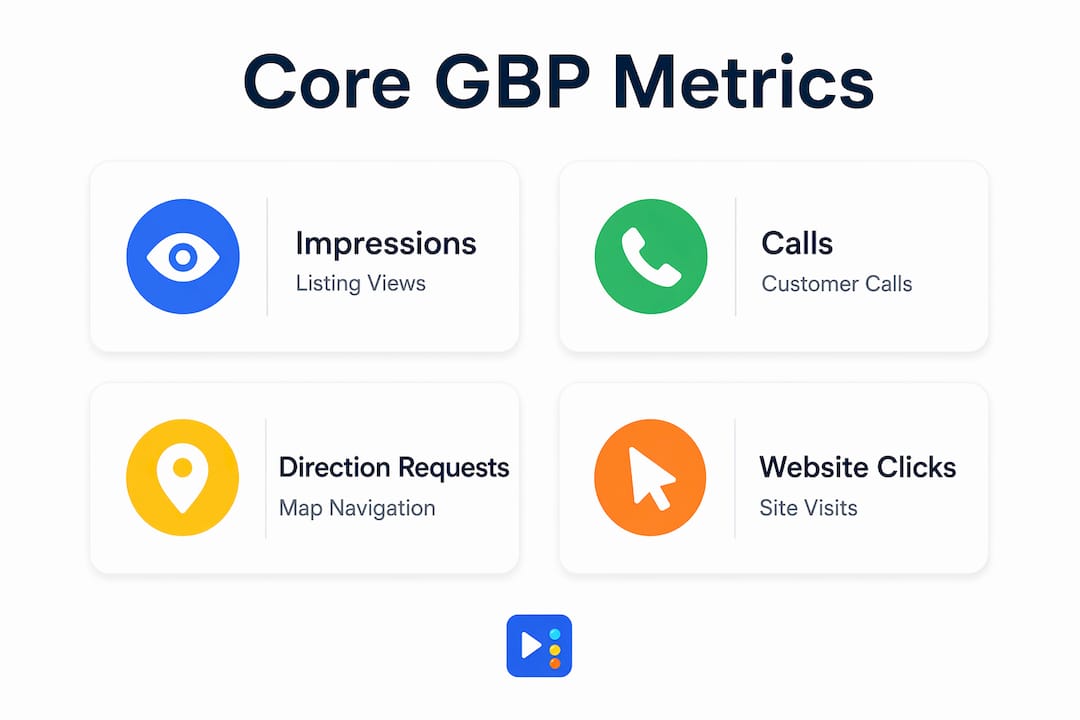
Key customer actions tracked by GBP include calls, messages, bookings, direction requests, and website clicks directly from the profile. Here is what each one tells you:
- Impressions: How many times your profile appeared in Google Search or Maps results. High impressions with low actions signal a profile that shows up but does not convert browsers into callers.
- Calls: Phone calls initiated directly from the "Call" button on your listing. This is one of the most direct lead signals available in the dashboard.
- Direction requests: How many people asked Google Maps for directions to your location. A spike here often correlates with a promotion, event, or seasonal demand.
- Website clicks: Clicks from your GBP listing to your website. This metric bridges your listing performance and your site traffic.
- Messages: Customer messages sent through the GBP messaging feature, if enabled.
- Bookings: Appointments or reservations made directly through the listing, available when booking integrations are active.
Reports also show breakdowns by device type (mobile vs. desktop) and traffic source (Google Maps vs. Google Search). That split is more useful than it looks. If 80% of your direction requests come from mobile Maps users, you know your customers are searching on the go and your profile needs to load fast and display accurate hours.
| Metric | What it measures | Why it matters |
|---|---|---|
| Impressions | Listing visibility in Search and Maps | Indicates reach and local search presence |
| Calls | Direct phone calls from the listing | Strongest signal of immediate purchase intent |
| Direction requests | Navigation requests to your location | Reflects foot traffic potential |
| Website clicks | Clicks from GBP to your website | Connects listing performance to site analytics |
| Messages | Customer messages via GBP | Shows interest before a phone call commitment |
Pro Tip: Check your calls metric against your actual call log. If GBP shows 40 calls but your staff logged only 15 answered calls, you have a response gap that is costing you leads.
How do Google Business Insights differ from Google Analytics and Search Console?
This is the most common source of confusion for small business owners, and it costs people real marketing clarity. GBP Insights differ fundamentally from Google Analytics: GBP measures listing interactions as local intent data, while Google Analytics tracks detailed website user behavior across sessions, pages, and conversions.
Think of it this way. GBP Insights tells you a customer called you from Google Maps on a Tuesday morning. Google Analytics tells you that a visitor from organic search spent four minutes on your services page and then submitted a contact form. These are two different parts of the same customer journey, and you need both to see the full picture.
Google Search Console adds a third layer. It shows how your website pages rank in Google Search, which queries trigger impressions, and how often users click through to your site. Businesses still need broader SEO monitoring beyond GBP data, because GBP does not show ranking specifics or full search visibility for your website pages.
| Tool | What it tracks | Best used for |
|---|---|---|
| Google Business Profile Insights | Listing interactions on Search and Maps | Local intent and engagement signals |
| Google Analytics | Website visitor behavior, sessions, conversions | Understanding what users do on your site |
| Google Search Console | Website ranking, impressions, click-through rates | Monitoring organic SEO performance |
Google Analytics also integrates with Google Ads and Search Console for a unified marketing view, which GBP Insights cannot replicate on its own. For a nail salon in Pflugerville or a med spa in Georgetown, the smart move is to run all three tools together and treat each one as a different lens on the same customer.
Pro Tip: Connect your Google Business Profile website URL with UTM parameters so that clicks from your GBP listing show up as a distinct traffic source inside Google Analytics. This closes the gap between listing engagement and on-site behavior.
What are the limitations and common misconceptions about Google Business Insights?
Business owners often mistakenly expect GBP Insights to track detailed user behavior similar to Google Analytics. It does not. GBP primarily tracks interactions from Google Search and Maps listings, signaling local customer intent, not what happens after someone arrives at your website or walks through your door.
Here are the most common misconceptions worth correcting:
- "GBP Insights shows me my SEO rankings." It does not. Impressions show how often your listing appeared, but not where it ranked relative to competitors in the local map pack.
- "High impressions mean I'm getting leads." Impressions measure visibility, not intent. A listing can appear thousands of times without generating a single call if the profile is incomplete or unconvincing.
- "I can track conversions through GBP." GBP insights show top-of-funnel local visibility signals but do not track conversions or actions beyond initial local intent data. You cannot see whether a caller became a paying customer.
- "GBP Insights replaces my need for Google Analytics." These tools serve different purposes. Dropping one in favor of the other leaves a blind spot in your marketing data.
- "More website clicks from GBP means my site is performing well." Clicks from GBP only tell you people left your listing for your site. What they did next requires Google Analytics to measure.
Experts advise treating GBP as a visibility metric, not a conversion tool. That framing keeps expectations realistic and prevents business owners from making major marketing decisions based on incomplete data. GBP Insights is best understood as a top-of-funnel indicator: it tells you whether your local presence is generating interest, not whether that interest is turning into revenue.
How can small business owners use Google Business Insights to improve local marketing?
Regular monitoring and acting on GBP insights can help small local businesses optimize their listings, prioritize popular keywords, improve responsiveness, and drive customer actions. Here is a practical framework for putting that into practice.
-
Review your impressions trend monthly. A consistent drop in impressions over 60 days signals that your listing may have lost ground in local search. Check for outdated business hours, missing categories, or a drop in recent reviews. Use your Google Business Profile data as a monthly health check, not a one-time setup task.
-
Match your profile content to search queries. GBP Insights shows the queries customers used to find your listing. If "nail salon open Sunday Georgetown" drives impressions but your profile does not mention Sunday hours or Georgetown service areas, you are leaving visibility on the table. Update your business description, services, and posts to reflect those terms.
-
Use call and message volume to staff smarter. If GBP shows peak call activity between 11 a.m. and 1 p.m. on weekdays, that is when you need someone available to answer. Missed calls during peak hours are one of the most preventable revenue leaks for service-based businesses.
-
Prioritize mobile optimization based on device data. Multi-location businesses can use GBP bulk reporting to compare customer behavior across locations, including device-type differences. Even single-location businesses benefit from checking whether their direction requests and calls skew heavily mobile. If they do, your website and booking process need to work flawlessly on a phone screen.
-
Track direction requests as a foot traffic proxy. For brick-and-mortar businesses, direction requests are the closest thing GBP offers to a foot traffic estimate. A spike after posting a promotion or updating your photos tells you those changes are working. A flat line after a new post suggests the content is not resonating with local searchers.
-
Encourage reviews and watch engagement respond. Businesses that actively request reviews from satisfied customers typically see an uptick in impressions and profile interactions. Reviews signal trust to Google's local ranking algorithm, and they signal credibility to potential customers reading your profile. Check your local search rankings alongside your GBP data to see how review volume correlates with visibility changes.
Pro Tip: Export your GBP performance data monthly into a simple spreadsheet. Tracking impressions, calls, and direction requests side by side over six months reveals patterns that the 30-day dashboard view will never show you.
GBP insights best serve as a local visibility indicator rather than a conversion measurement tool, helping match marketing efforts to local demand signals. When you treat the data that way, every metric becomes a specific question: Are people finding me? Are they taking action? What is stopping them from calling?
Key takeaways
Google Business Insights is a local intent analytics tool that measures listing visibility and customer actions on Google Search and Maps, not website behavior or conversions.
| Point | Details |
|---|---|
| GBP Insights tracks local intent | Metrics like calls, direction requests, and clicks show how customers engage with your listing. |
| It differs from Google Analytics | GBP measures listing interactions; Google Analytics tracks on-site behavior and conversions. |
| Impressions are not leads | High impressions with low calls signal a profile that needs stronger content or more reviews. |
| Use device data to guide mobile strategy | If most actions come from mobile, your website and booking flow must be optimized for phones. |
| Combine all three Google tools | GBP Insights, Google Analytics, and Search Console together give the fullest marketing picture. |
Why I think most small businesses are reading their GBP data wrong
After working with nail salons, med spas, restaurants, and service businesses across Central Texas, the pattern I see most often is this: a business owner checks their GBP impressions, sees a big number, and assumes their local marketing is working. It is not that simple.
Impressions without calls mean your listing is visible but not convincing. That is a profile problem, not a traffic problem. The fix is not more posts or more photos. It is a clear, specific business description, accurate categories, and a steady stream of recent reviews that give customers a reason to call instead of scroll past.
The other mistake I see constantly is treating GBP Insights as the only data source for local marketing decisions. Despite their simplicity, GBP insights provide feedback that directly ties to marketing adjustments, especially for multi-location businesses. But that feedback is only meaningful when you pair it with Google Analytics and Search Console data. Alone, GBP tells you someone knocked on your digital door. The other tools tell you whether they came inside and what they did next.
My recommendation: set a recurring 30-minute monthly review. Pull your GBP performance report, your Google Analytics traffic summary, and your Search Console top queries. Put them side by side. Look for disconnects. If impressions are up but website clicks are flat, your profile call-to-action needs work. If clicks are up but time-on-site is low, your landing page is not matching the customer's expectation. That kind of cross-tool thinking is what separates businesses that grow their local presence from those that stay stuck.
— Tran
How Yourlocalseo helps you turn GBP data into real local leads

Yourlocalseo is a local SEO agency based in Pflugerville, TX, built specifically for small businesses that want more than a dashboard full of numbers. We use Google Business Insights data as a starting point for a broader local SEO strategy that includes Google Business Profile optimization, citation building, review generation, and on-page SEO tailored to your location. Our clients across Pflugerville, Austin, Round Rock, Georgetown, and Cedar Park see real improvements in calls, direction requests, and search visibility because we act on the data rather than just report it. If you are ready to put your GBP performance metrics to work, we are ready to help you do it.
FAQ
What is Google Business Insights in simple terms?
Google Business Insights is the analytics section of your Google Business Profile that shows how customers find and interact with your listing on Google Search and Maps. It tracks metrics like calls, direction requests, website clicks, and impressions.
How do I access Google Business Insights?
Log into your Google Business Profile at business.google.com, select your location, and click "Performance" in the left-hand menu. You can view data across 30 or 90-day date ranges.
Is Google Business Insights the same as Google Analytics?
No. GBP Insights tracks interactions with your Google listing, while Google Analytics tracks behavior on your website. They measure different parts of the customer journey and work best when used together.
What does a high impression count mean for my business?
High impressions mean your listing is appearing frequently in local search results. However, impressions alone do not indicate leads. If calls and clicks remain low, your profile content or reviews may need improvement to convert viewers into customers.
Can Google Business Insights replace a full SEO strategy?
No. GBP Insights provides top-of-funnel local visibility data but does not show keyword rankings, website conversions, or detailed user behavior. A complete local SEO strategy requires GBP Insights alongside Google Analytics and Google Search Console.