

UTM tracking is the practice of adding labeled parameters to URLs so tools like Google Analytics 4, Shopify Analytics, and GA4 can identify exactly where your website traffic comes from. Digital marketers and website owners use UTM parameters in SEO workflows not to boost rankings, but to solve a harder problem: knowing which campaigns actually drive results. With browser privacy restrictions tightening every year, accurate attribution has become one of the most critical skills in digital marketing. This guide explains how UTMs work, what they do and do not do for SEO, and how to use them correctly in 2026.
What is the role of UTM tracking in SEO?
UTM tracking does not directly improve search rankings. Google explicitly instructs its crawlers to ignore UTM query parameters, so adding them to your URLs has zero impact on how pages rank or get indexed. Their real value is attribution clarity. UTMs tell you whether a visitor arrived from a Facebook ad, an email newsletter, a PR mention, or an organic search result. Without that data, you are guessing.
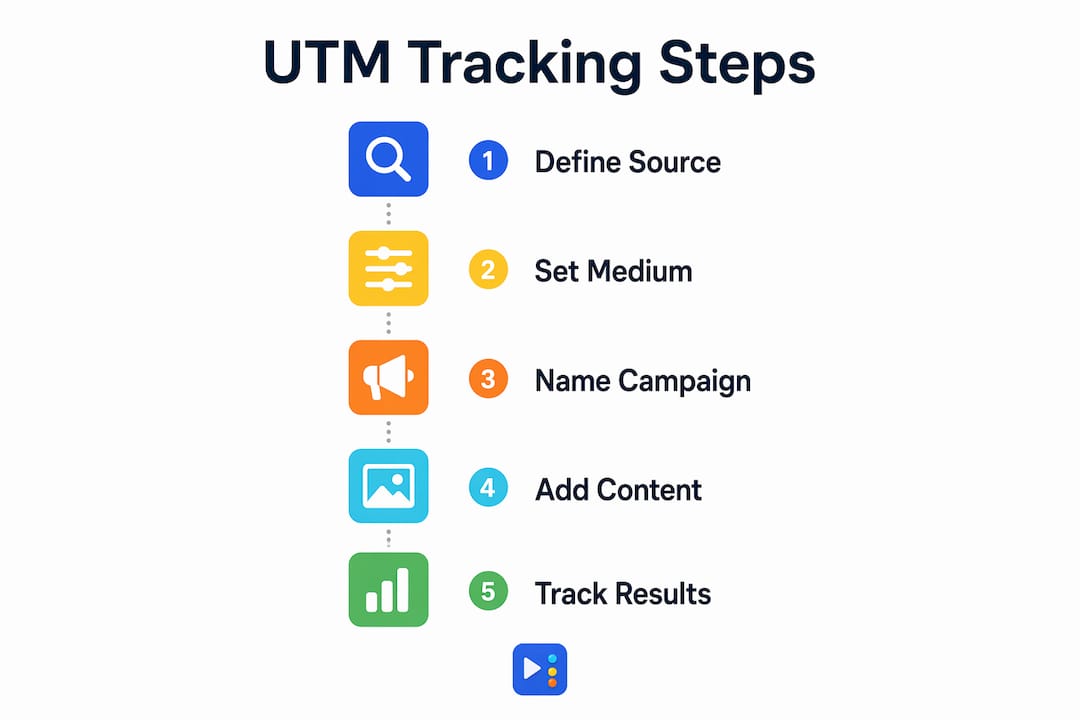
UTM stands for Urchin Tracking Module, a naming convention inherited from Urchin Software before Google acquired it. The five standard parameters are:
- utm_source: The platform sending traffic (e.g., google, facebook, newsletter)
- utm_medium: The marketing channel type (e.g., cpc, email, organic)
- utm_campaign: The specific campaign name (e.g., spring_sale_2026)
- utm_content: The specific ad or link variant (e.g., banner_a, text_link)
- utm_term: The paid keyword that triggered the ad (used mainly in paid search)
Source, medium, and campaign are required for clean reporting. Content and term are optional but useful for A/B testing and paid search analysis.
Canonical tags and duplicate content risks

One real SEO concern with UTMs is duplicate content. If Google crawls and indexes a UTM-tagged URL alongside the clean version of the same page, you end up with two versions of the same content competing against each other. The fix is straightforward: use canonical tags on every page to point search engines to the preferred URL. You should also configure URL parameter handling in Google Search Console so Google knows to ignore UTM strings during crawling. Improperly indexed UTM URLs create duplicate content issues that canonical tags and Search Console settings prevent.
Pro Tip: Never add UTM parameters to internal links. UTM URLs on internal links cause session resets, replacing the original traffic source with new campaign data and corrupting your attribution reports entirely.
Why does accurate attribution matter for SEO performance?
Attribution errors are not a minor inconvenience. Without UTM tracking, 30% to 50% of website traffic gets misclassified as Direct or Unknown. That misclassification happens because browsers like Safari and Firefox strip referral data to protect user privacy, making legitimate campaign traffic disappear into a black hole labeled "direct."
The scale of this problem is larger than most marketers realize. In one documented case, over 94% of new users appeared as Direct traffic when UTMs were not in use. That means a PR campaign, a social push, or an email blast could be driving nearly all your new visitors, and your reports would show nothing but "direct." UTMs surface the actual source data so you can see what is working.
The table below shows the most common attribution challenges and how UTMs address each one.
| Attribution challenge | What causes it | How UTMs solve it |
|---|---|---|
| Direct traffic inflation | Referral stripping by privacy browsers | UTM parameters survive in the URL and pass source data directly |
| Lost social traffic | iOS and Android apps strip referrers | utm_source and utm_medium tag the click before it lands |
| Email misattribution | Email clients do not pass referrer headers | UTMs on every email link identify the campaign correctly |
| PR and partner traffic | Third-party sites rarely pass referrer data | utm_source tags the publication or partner sending the click |
| Cross-device journeys | Cookies break across devices and sessions | UTM data ties the click to the campaign regardless of device |
UTMs are the most reliable first-party attribution method available as third-party cookies disappear. You control the parameters, you set the values, and the data lives in your own analytics account.
How do you implement UTM tracking correctly?
Consistent naming conventions are the foundation of clean UTM data. Google Analytics 4 is case-sensitive, so "Facebook" and "facebook" appear as two separate traffic sources in your reports. One inconsistent team member can fragment months of data. The fix is a shared naming document every person on your team uses before building any UTM link.
Follow these steps to build a UTM system that holds up across campaigns:
- Create a naming convention document. Decide on approved values for source, medium, and campaign. Use lowercase only. Replace spaces with underscores. Example: utm_source=linkedin, utm_medium=social, utm_campaign=q2_local_promo.
- Tag every external marketing link. Paid ads, social posts, email campaigns, QR codes, partner site mentions, and press releases all need UTMs. UTM parameters belong only on external links, never on internal navigation.
- Use a UTM builder tool. Google's Campaign URL Builder generates clean UTM links without manual errors. Tools like HubSpot and Bitly also include UTM builders with link shortening built in.
- Audit your UTMs quarterly. Pull a source/medium report in GA4 and look for duplicate entries caused by inconsistent casing or typos. Fix naming errors before they compound across campaigns.
- Track UTM performance in a shared spreadsheet. Log every campaign link with its parameters, launch date, and channel. This creates a reference for future campaigns and makes audits faster.
Pro Tip: Build UTM templates for recurring campaign types, such as monthly email newsletters or weekly social posts. Automated templates reduce human error and make it easier for new team members to follow the same conventions from day one.
How do UTMs improve multi-channel SEO analytics?
UTMs reveal the full customer journey, not just the last click. A visitor might first find your business through an organic Google search, then see a retargeting ad on Instagram, then click a link in your email newsletter before converting. Without UTMs on the email and ad links, GA4 credits the conversion to organic search alone. That misrepresents how your marketing actually works.
UTM tracking clarifies how non-organic channels assist SEO conversions inside GA4's data-driven attribution models. This matters for budget decisions. If your email campaigns consistently appear as an assisted conversion source for organic search goals, cutting the email budget will hurt your SEO results even though email has nothing to do with rankings.
Key ways UTMs improve multi-channel analysis:
- Email and SEO interaction: UTMs on email links show whether email drives return visits that eventually convert through organic search, proving the indirect value of your email program.
- Social and organic overlap: UTMs on social posts reveal whether social traffic warms up audiences who later search and convert organically, a pattern common for local service businesses.
- PR campaign value: UTMs on press mentions prove the traffic and conversion value of media coverage, which is notoriously hard to measure without tagged links.
- Paid and organic balance: UTMs separate paid clicks from organic clicks in GA4, so you can see whether paid campaigns cannibalize organic traffic or genuinely add new visitors.
For local businesses tracking performance across multiple channels, understanding these interactions is critical. You can learn more about connecting these data points in our guide on tracking local SEO results. UTM parameters enable precise ROI measurement by identifying which channels and creative assets produce the best outcomes, giving you the data to reallocate budget with confidence.
Key Takeaways
UTM tracking is the most reliable method for accurate marketing attribution in 2026, and every digital marketer running multi-channel campaigns needs a consistent, team-wide UTM system to trust their analytics data.
| Point | Details |
|---|---|
| UTMs do not affect rankings | Google ignores UTM parameters during crawling and indexing. |
| Attribution loss is significant | Without UTMs, 30%–50% of traffic is misclassified as direct. |
| Canonical tags prevent SEO issues | Use canonical tags and Search Console settings to block UTM URL indexing. |
| Naming consistency is non-negotiable | GA4 is case-sensitive; inconsistent casing fragments data into false sources. |
| Never tag internal links | Internal UTM links reset sessions and destroy original campaign attribution. |
UTMs are more foundational than most marketers admit
I have worked with enough small business owners and marketing teams to know that UTMs are almost always the last thing anyone sets up and the first thing that breaks. People treat them as a nice-to-have detail. They are not. They are the difference between knowing your marketing works and hoping it does.
The misconception I see most often is that UTMs are an SEO tool. They are not. UTMs are a labeling system for channel clarity. They do not move rankings. They tell you what is actually driving traffic so you can make decisions based on real data instead of inflated direct traffic numbers.
What I find most interesting about 2026 is how privacy trends have made UTMs more valuable, not less. Safari blocks cross-site cookies. Firefox strips referrers. iOS limits tracking. Every one of those restrictions pushes more traffic into the "direct" bucket. UTMs cut through that noise because they live in the URL itself. No cookie required.
My honest advice: treat UTM discipline the same way you treat password hygiene. Build the habit across your whole team, document your naming conventions, and audit quarterly. The marketers who do this consistently have analytics data they can actually trust. Everyone else is making budget decisions based on noise.
— Tran
Get expert help with UTM tracking and local SEO

Setting up UTMs correctly is one part of a larger picture. At Yourlocalseo, we help small businesses in Pflugerville, Austin, Round Rock, and across Central Texas build digital marketing systems that produce real data and real leads. From Google Business Profile optimization to campaign tracking and on-page SEO, every strategy we build is tied to measurable outcomes. If you want to stop guessing which channels drive your best customers, we can help you build the attribution foundation to find out. Visit Yourlocalseo to learn how we approach local SEO and campaign analytics for businesses like yours.
FAQ
What does UTM tracking actually do for SEO?
UTM tracking does not improve SEO rankings. It provides accurate attribution data so marketers can identify which channels, campaigns, and content drive traffic and conversions.
Do UTM parameters hurt SEO or cause duplicate content?
UTM parameters do not hurt SEO rankings, but indexed UTM URLs can create duplicate content. Use canonical tags and configure URL parameter settings in Google Search Console to prevent this.
Why does so much traffic show up as direct without UTMs?
Privacy browsers strip referral data, causing 30%–50% of traffic to appear as direct. UTMs pass source data inside the URL itself, bypassing referral stripping entirely.
Can I use UTMs on internal website links?
No. Adding UTMs to internal links resets the user session and replaces the original traffic source with new campaign data, which corrupts your attribution reports.
How do UTMs work with GA4?
GA4 reads UTM parameters on landing page URLs and assigns sessions to the correct source, medium, and campaign. GA4 is case-sensitive, so consistent lowercase naming across all UTM values is required for clean reporting.