

User experience in SEO is defined as the quality of a visitor's interaction with a website and how that quality directly shapes the site's search engine rankings and engagement metrics. The industry standard term for this convergence is Search Experience Optimization (SXO), and it has replaced the old keyword-volume model as the primary framework for sustainable search success. According to ISO 9241 and IBM, UX is a strategic discipline built on objective usability and efficiency, not a design nicety. Google, the Nielsen Norman Group, and Semrush all confirm that user behavior signals now feed directly into ranking algorithms. If you run a website and you are not thinking about UX, you are competing with one hand tied behind your back.
What is the definition of user experience in SEO?
User experience (UX) in SEO refers to every element of a website that affects how easily and satisfyingly a visitor can find, consume, and act on information. This includes page load speed, mobile responsiveness, navigation clarity, content quality, and the emotional response a visitor has after leaving. The goal is not just to rank. The goal is to make visitors stay, engage, and return.
The formal definition comes from ISO 9241-210, which describes UX as a person's perceptions and responses resulting from the use of a product or service. IBM applies this to digital products by framing UX as a strategic business function that directly affects website ROI. When UX fails, visitors leave. When visitors leave, Google notices.
Three core components define UX in an SEO context:
- Usability: Can users complete their goals without confusion or friction?
- Performance: Does the page load fast enough on mobile and desktop?
- Content relevance: Does the content answer the user's actual question, not just match a keyword?
These three factors are measurable, and search engines measure them through behavioral signals like bounce rate, time on page, and pogo-sticking. Pogo-sticking occurs when a user clicks a result, returns to the search page immediately, and clicks a different result. Google uses pogo-sticking as a quality signal, and pages with high pogo-stick rates lose ranking positions over time.
How does user experience affect SEO rankings?
Search engines use user behavior as a proxy for content quality. Pages with higher time-on-page and lower bounce rates outperform competitors with similar keywords but weaker UX. That finding changes how you should think about SEO strategy. Technical optimization gets you into the game. UX keeps you in it.
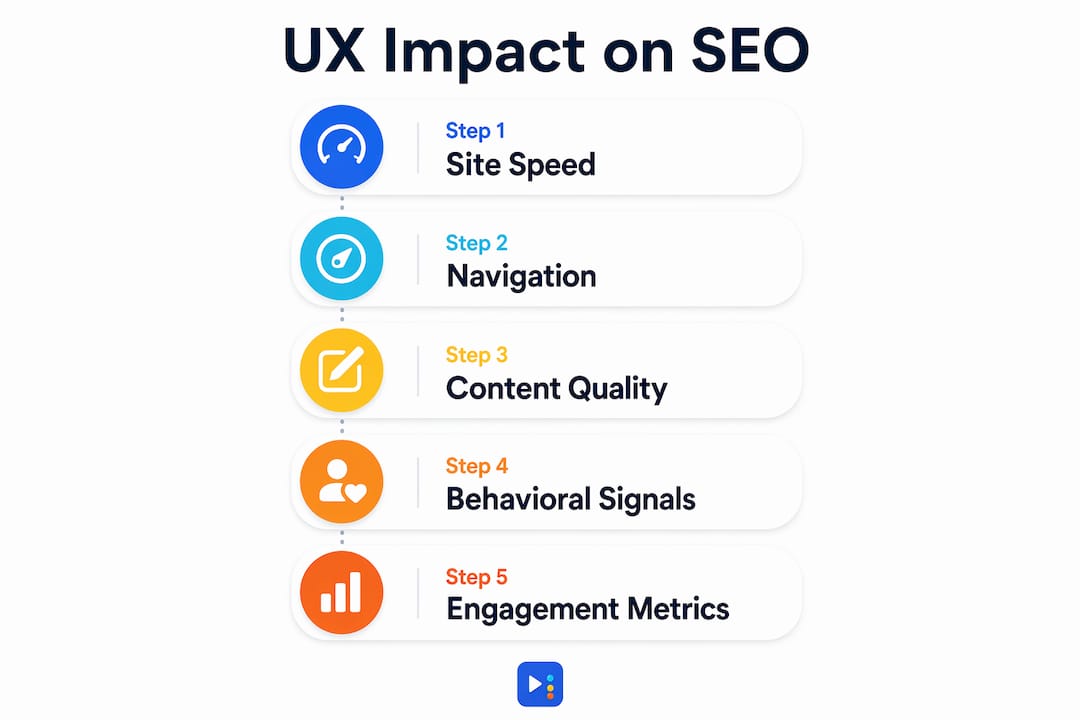
Google's machine learning models, including RankBrain and the Helpful Content system, train on user interaction data. User clicks, scrolls, and swipes are indirect ranking factors that teach these models which pages genuinely satisfy search intent. A page that earns long visits and repeat clicks builds ranking authority that no amount of backlink building can replicate.
Here is what the data shows about UX and SEO performance:
- Mobile-friendly layouts, intuitive navigation, and responsive interactions correlate directly with SEO success under 2026 standards.
- Google's mobile-first indexing means the mobile version of your site is the primary version Google crawls and ranks.
- Users abandoning content after scrolling past filler create ranking leaks that backlink strategies cannot fix.
- Positive emotional experiences motivate sharing and natural backlinks, which strengthen domain authority over time.
The practical implication is direct. Every UX improvement you make to your site is also an SEO improvement. Faster load times reduce bounce rates. Clearer navigation increases pages per session. Better content increases time on page. All three metrics feed back into your rankings.
UX vs. UI vs. CX: what SEO practitioners need to know

These three terms are often used interchangeably, and that confusion costs websites real ranking performance. Each concept is distinct, and confusing them leads to misallocated budgets.
| Concept | Definition | SEO Impact |
|---|---|---|
| UX (User Experience) | The full system of user satisfaction, including usability, emotional response, and intent fulfillment | Direct: shapes behavioral signals Google measures |
| UI (User Interface) | The visual and interactive elements a user sees and touches | Indirect: affects first impressions and click behavior |
| CX (Customer Experience) | The complete brand relationship across all touchpoints, including offline | Indirect: influences brand search volume and loyalty |
UI is a subset of UX, focused on visuals and interactions. UX encompasses everything, including what happens after the click. A site can look beautiful and still have terrible UX if the content is thin, the navigation is confusing, or the page loads slowly on a phone.
Failing to separate UI from UX produces a specific SEO problem. Attractive but high-bounce websites get demoted by search engines because behavioral signals reveal that users are not satisfied, regardless of how polished the design looks. CX sits above both. It includes your Google Business Profile, your review responses, and your brand reputation across the web.
Pro Tip: Do not let a beautiful redesign distract you from UX fundamentals. Run a page speed test on Google PageSpeed Insights and a mobile usability check in Google Search Console before launching any new design. A site that looks great but loads in 6 seconds will lose rankings to a plainer site that loads in 2 seconds.
How to optimize user experience for better SEO results
UX optimization for SEO is not a one-time project. It is an ongoing practice built around understanding what your users actually need and removing every obstacle between them and that need. Here is a practical framework:
-
Prioritize mobile performance first. Google indexes the mobile version of your site. Use Google's Core Web Vitals report to identify Largest Contentful Paint (LCP), Cumulative Layout Shift (CLS), and Interaction to Next Paint (INP) scores. Each metric maps directly to a UX problem. Check out mobile SEO best practices for a deeper look at what this means for small business sites.
-
Build logical site navigation. Users should reach any page within three clicks from the homepage. Use clear category labels, breadcrumb navigation, and a search function for larger sites. Poor information architecture is one of the most common local SEO mistakes that tanks both UX and rankings.
-
Write content that matches human intent, not keyword density. SEO has moved from keyword-volume focus to semantic search experience optimization. Write to answer the full question behind a search query, not just to match the exact phrase. Users who find complete answers stay longer and share more.
-
Test with real users regularly. Tools like Hotjar and Microsoft Clarity show you heatmaps and session recordings of actual user behavior. Run these monthly. Look for rage clicks, dead zones, and drop-off points. Fix what you find before it compounds into a ranking problem.
-
Use internal linking to guide the user journey. Internal links serve two purposes. They help search engines crawl your site, and they keep users moving through your content. Link to related pages that genuinely extend the reader's understanding. Review SEO-friendly website elements to see how internal linking fits into a broader site structure strategy.
Pro Tip: Treat every page as a landing page. Ask yourself: if a user arrived here from Google with zero context, would they immediately understand what this page is about and what to do next? If the answer is no, the page needs work.
Common UX mistakes that damage SEO performance
Most UX problems that hurt SEO are predictable and preventable. Recognizing them early saves you from ranking drops that take months to recover from.
-
Confusing UI with UX. Spending budget on visual redesigns while ignoring page speed, content depth, and navigation logic produces sites that look modern but perform poorly. Search engines do not rank aesthetics. They rank satisfaction.
-
Thin or keyword-stuffed content. Content that emotionally resonates earns backlinks and trust. Content stuffed with exact-match keywords frustrates users and triggers Google's Helpful Content system penalties. Write for the person, not the algorithm.
-
Ignoring Core Web Vitals. Slow load times, layout shifts during page load, and sluggish interactivity are all measurable UX failures. Google reports these in Search Console. Ignoring them is ignoring direct feedback from your ranking system.
-
No mobile optimization. A site that works on desktop but breaks on mobile is effectively invisible to a large portion of your audience. Mobile-first indexing means Google evaluates your mobile experience first, always.
-
Broken or confusing navigation. If users cannot find what they need within two or three clicks, they leave. High exit rates from navigation pages signal to Google that your site structure is failing users.
The pattern across all these mistakes is the same. They prioritize the appearance of a good website over the actual experience of using one. Treating SEO as only a technical checklist limits ROI. Prioritizing the post-click experience is what generates sustainable rankings.
Key takeaways
User experience in SEO is the single most durable ranking factor available to website owners because it aligns what users want with what search engines reward.
| Point | Details |
|---|---|
| UX drives ranking signals | Behavioral metrics like bounce rate and time on page directly influence Google's ranking decisions. |
| SXO is the current standard | Search Experience Optimization has replaced keyword-volume SEO as the framework for sustainable rankings. |
| UI is not UX | Attractive design without usability improvements produces high-bounce sites that search engines demote. |
| Mobile performance is non-negotiable | Google's mobile-first indexing means your mobile UX is your primary SEO asset. |
| Content must match intent | Semantic, intent-aligned content outperforms keyword-stuffed pages in both rankings and user retention. |
Why UX is the SEO advantage most businesses overlook
I have worked with enough small business websites to say this plainly: most ranking problems are UX problems in disguise. Business owners come to us frustrated that their site is not ranking, and when we audit the site, the technical SEO is fine. The real issue is that the site is hard to use on a phone, the content does not answer the visitor's actual question, or the navigation requires too much effort.
The conventional wisdom in SEO circles still leans heavily on backlinks and keyword research. Both matter. But neither one rescues a site that frustrates its visitors. I have seen well-linked pages lose rankings steadily because users kept bouncing back to the search results. The algorithm noticed. It always does.
What I find most interesting is how UX improvements compound over time. Fix your page speed, and your bounce rate drops. Lower bounce rate improves your ranking. Better ranking brings more traffic. More traffic gives you more behavioral data to learn from. The cycle is self-reinforcing in a way that pure technical SEO never is.
The businesses that win local search in 2026 are not the ones with the most backlinks. They are the ones whose websites feel effortless to use. That is the competitive edge most people are leaving on the table.
— Tran
How Yourlocalseo helps you build a site that ranks and converts
At Yourlocalseo, we build local SEO strategies around one principle: your website has to work for the person using it before it can work for Google. That means we look at page speed, mobile usability, navigation structure, and content quality as part of every engagement, not as optional add-ons.

We work with small businesses across Pflugerville, Austin, Round Rock, and the surrounding Central Texas area to fix the UX problems that are quietly draining their search visibility. From Core Web Vitals improvements to on-page content rewrites aligned with real user intent, every change we make is tied to a measurable outcome. If you are ready to stop guessing and start ranking, explore our local SEO services to see exactly how we approach UX-driven SEO for businesses like yours.
FAQ
What is user experience in SEO?
User experience in SEO is the quality of a visitor's interaction with a website, including page speed, navigation, content relevance, and mobile usability. Search engines use behavioral signals from these interactions to assess page quality and assign rankings.
How does UX affect google rankings?
Google uses behavioral signals like bounce rate, pogo-sticking, and time on page as indirect ranking factors. Pages that satisfy user intent earn longer visits and stronger rankings over time.
What is the difference between UX and UI in SEO?
UI refers to the visual and interactive elements of a site. UX covers the full experience, including content quality, usability, and emotional satisfaction. High-bounce sites often have strong UI but weak UX, which search engines penalize.
What are the most important UX metrics for SEO?
Core Web Vitals (LCP, CLS, INP), bounce rate, time on page, and pages per session are the primary UX metrics that influence SEO performance. Google reports Core Web Vitals directly in Search Console.
What is search experience optimization (SXO)?
SXO is the evolution of traditional SEO, focusing on delivering meaningful, intent-aligned content journeys across all devices. It prioritizes user satisfaction metrics over keyword density and exact-match optimization.