

A website redesign is defined as a full structural, visual, and technical overhaul of an existing site to improve performance, user experience, and search visibility. Done right, this website redesign guide 2026 shows you how to protect your organic rankings, meet Core Web Vitals benchmarks, satisfy WCAG 2.2 accessibility standards, and position your content for AI-driven search engines. Done wrong, 40% of businesses lose significant SEO traffic the moment they launch. That single statistic explains why redesign planning is a technical discipline, not just a creative one.
What are the essential prerequisites before starting a redesign?
The first step in any redesign is a full SEO and content audit. You need to know exactly which URLs rank, which pages drive conversions, and which internal links carry authority before you touch a single template. Skipping this step is the most common reason redesigns destroy organic traffic.
Start by crawling your current site with a tool like Screaming Frog. Export every URL, its status code, its inbound link count, and its current ranking keywords. This becomes your master inventory. Every high-value URL must have a documented destination in the new site architecture.

Beyond the URL map, you need to set measurable business goals before the project kicks off. Define what success looks like: more leads, lower bounce rate, faster load times, or higher local search rankings. Tie each goal to a metric you can track in Google Analytics 4 or Google Search Console so you have a clear baseline for post-launch comparison.
Internal decision ownership before the redesign starts prevents feedback paralysis and scope creep. Assign one person to approve copy, one to approve design, and one to approve technical decisions. When everyone owns everything, nothing moves.
- Crawl and export all current URLs with status codes and ranking data
- Document top-performing pages by organic traffic and conversions
- Set baseline metrics in Google Analytics 4 and Google Search Console
- Assign clear internal roles with named decision owners
- Define the new site architecture before any design work begins
Pro Tip: Create a simple spreadsheet with three columns: old URL, new URL, and redirect status. Update it daily during the project. This single document prevents the most expensive launch-day mistakes.
How to integrate 2026 design principles for performance and AI readiness
Performance is not a design preference. It is a ranking factor. High-performing sites see up to 2.5x higher conversion rates when they meet 2026 Core Web Vitals benchmarks. That means every design decision, from font loading to image formats, must be evaluated against its impact on speed.
The three Core Web Vitals targets for 2026 are non-negotiable for competitive rankings:
- LCP (Largest Contentful Paint): Must load in under 2.5 seconds. Optimize hero images with next-gen formats like WebP or AVIF and preload critical assets.
- INP (Interaction to Next Paint): Must stay under 200 milliseconds. Minimize JavaScript execution on the main thread and defer non-critical scripts.
- CLS (Cumulative Layout Shift): Must stay below 0.1. Reserve space for images and embeds with explicit width and height attributes.
Accessibility is no longer optional. Accessibility lawsuits have increased 300% from 2022 to 2026. WCAG 2.2 compliance requires a minimum 4.5:1 color contrast ratio for normal text, full keyboard navigation, and descriptive alt text on all images. Treating accessibility and SEO compliance as separate concerns is a mistake. They share the same foundation: clean, semantic HTML.
AI search engines like Perplexity and Google's AI Overviews pull answers from structured content. AI search engines require structured semantic markup for easy citation by large language models. Traditional keyword optimization alone no longer guarantees visibility. Your content must use proper heading hierarchies, FAQ schema, and clear question-and-answer formatting so AI bots can extract and cite it accurately.
Pro Tip: Test your redesigned pages on a mid-range Android device, not just a MacBook Pro. Most of your local customers browse on budget phones. If the page feels slow there, it will hurt your rankings and your conversions.
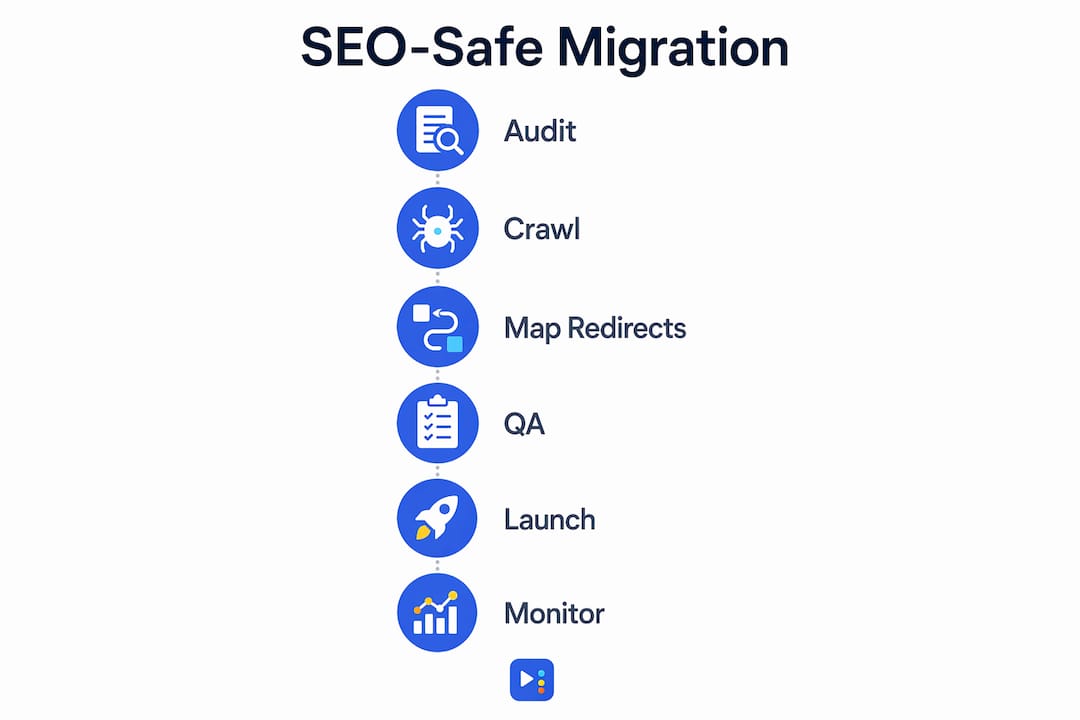
What is the step-by-step execution plan for SEO-safe migration?
SEO migration is the technical backbone of any redesign. Neglecting the 301 redirect plan can lose 90–99% of link equity instantly on launch day. A 301 redirect tells search engines that a page has permanently moved, passing nearly all of its accumulated authority to the new URL.
Your redirect map must cover every URL that has inbound links, organic rankings, or significant traffic. Map old URLs to their closest semantic equivalent on the new site. Avoid redirect chains where URL A redirects to URL B, which redirects to URL C. Each hop bleeds authority and slows load time.
Content migration deserves equal attention. Use your audit data to decide which pages to keep, which to consolidate, and which to retire. Pages with thin content and no rankings should be redirected to stronger related pages rather than migrated as-is.
For AI readiness, content structured for AI answer engines gains a measurable edge over traditionally optimized sites. Implement these technical elements during migration:
- 301 redirect map: Cover every URL with rankings or inbound links, no chains
- Schema markup: Add FAQ, LocalBusiness, and Article schema where relevant
- Sitemap update: Submit a fresh XML sitemap to Google Search Console on launch day
- Robots.txt review: Confirm the staging environment was blocked and the live site is fully trawlable
- Canonical tags: Set correct canonicals on all paginated or duplicate content
| Migration task | Why it matters |
|---|---|
| 301 redirect map | Preserves link equity and prevents 404 errors |
| Schema markup | Enables AI citation and rich search results |
| XML sitemap submission | Speeds up Google's re-indexing of new URLs |
| Robots.txt audit | Prevents accidental blocking of key pages |
| Canonical tag review | Eliminates duplicate content signals |
A disciplined 90-day redesign roadmap greatly improves the chances of measurable outcomes. Phase your work: discovery and audit in weeks one through three, design and development in weeks four through ten, QA and launch in weeks eleven through twelve, and post-launch monitoring through day 90.
How to conduct staging, QA, and launch procedures that hold up
QA built during production reduces launch failures. QA checklists built during production reduce launch failures related to broken forms, analytics misconfiguration, and DNS issues. The key word is "during." Waiting until the week before launch to start testing is how brands end up with broken contact forms and missing conversion tracking on go-live day.
Run your Core Web Vitals tests on the staging environment using Google PageSpeed Insights and Chrome's Lighthouse tool. Test every redirect in your map. Confirm that Google Analytics 4 fires on every page and that goal events trigger correctly. Check every form submission and verify that confirmation emails arrive.
Before flipping DNS, run through this launch-day checklist:
- Confirm all 301 redirects return the correct status codes
- Verify SSL certificate is active and all pages load over HTTPS
- Test site on Chrome, Safari, Firefox, and at least one mobile browser
- Confirm Google Analytics 4 and Google Search Console are connected
- Submit the new XML sitemap immediately after DNS propagation
Post-launch monitoring is not optional. Post-launch reviews at 1 day, 1 week, 30 days, and 60 days improve user experience and SEO outcomes. Check Google Search Console daily in the first week for crawl errors, manual actions, or indexing drops. Compare organic traffic week over week against your pre-launch baseline.
Pro Tip: Set up a Google Search Console alert for any significant drop in impressions during the first 30 days. A sudden drop in impressions, not just clicks, usually signals an indexing problem rather than a ranking shift.
What common pitfalls cause redesign failures in 2026?
Most redesign failures trace back to four avoidable mistakes. Recognizing them before you start is the difference between a launch that grows your business and one that costs you months of recovery work.
- No SEO migration plan: Launching without a 301 redirect map is the single fastest way to lose organic rankings. Treat every URL change as a redirect requirement.
- Unclear internal ownership: Failing to define internal roles leads to scope creep and delayed decision-making. Name one approver per workstream before the project starts.
- Aesthetics over performance: A visually impressive site that fails Core Web Vitals benchmarks will rank below a plainer site that loads in under 2.5 seconds. Performance wins.
- No post-launch review schedule: Skipping the 30-day and 60-day reviews means missing early signals of traffic loss, broken pages, or conversion drops that are easy to fix when caught early.
"The biggest redesign mistake we see is treating the launch as the finish line. The launch is actually the starting line for optimization. Sites that win in search are the ones with owners who review performance data weekly for the first 90 days and act on what they find."
For local businesses especially, the website design process carries additional stakes. Your Google Business Profile, local citations, and on-page SEO signals must stay consistent through the redesign. A URL change to your contact page or service pages can break local ranking signals if not handled correctly.
Key Takeaways
A successful 2026 website redesign requires SEO migration planning, Core Web Vitals compliance, WCAG 2.2 accessibility, and structured content for AI search visibility before a single design decision is made.
| Point | Details |
|---|---|
| Audit before you build | Crawl all URLs and document rankings before changing any site structure. |
| Protect link equity | Map every changed URL to a 301 redirect to preserve 90–99% of SEO authority. |
| Meet performance benchmarks | Target LCP under 2.5s, INP under 200ms, and CLS under 0.1 for competitive rankings. |
| Build QA into production | Test redirects, forms, and analytics continuously, not just before launch. |
| Monitor post-launch actively | Review rankings and traffic at day 1, day 7, day 30, and day 60 after launch. |
What I've learned from watching redesigns succeed and fail
The redesigns that succeed share one trait: the owner treated the project as a technical migration first and a creative project second. The ones that fail almost always started with a mood board and ended with a panicked call about lost rankings.
I've seen local businesses in Central Texas invest real money in beautiful new sites, only to watch their Google traffic drop by half because nobody mapped the old URLs. The fix was simple. The damage took months to undo. That experience shaped how we approach every redesign at Yourlocalseo.
My honest advice: lock down your redirect map and your analytics baseline before you approve a single wireframe. Design decisions are reversible. Lost link equity is not. And once you launch, treat the first 90 days as an active optimization window, not a victory lap. The sites that climb in rankings after a redesign are the ones with owners who stay engaged with the data.
For local businesses, I'd also push back on the idea that a redesign is a one-time event. The ongoing site maintenance that follows a launch is what separates sites that keep growing from sites that plateau. Build that habit from day one.
— Tran
How Yourlocalseo supports your 2026 redesign
Planning a redesign without an SEO safety net is a risk no small business should take. Yourlocalseo works with local businesses across Pflugerville, Austin, Round Rock, and surrounding Central Texas communities to plan and execute SEO-safe website redesigns that protect rankings and drive real leads.

We handle the full process: pre-launch SEO audits, URL mapping, Core Web Vitals testing, schema implementation, and post-launch monitoring. Every redesign we manage is built against 2026 performance and accessibility standards from day one. If you want a site that ranks, loads fast, and converts local visitors into customers, we're ready to build it with you. Reach out to Yourlocalseo to get started.
FAQ
How long does a website redesign take in 2026?
A well-structured redesign follows a 90-day roadmap covering discovery, design, development, QA, and launch. Complex sites with large content libraries may require additional time for SEO migration and content updates.
Will a redesign hurt my Google rankings?
A redesign can hurt rankings if you skip 301 redirects and SEO migration steps. Proper redirect mapping preserves 90–99% of link equity and protects your organic positions.
What are Core Web Vitals and why do they matter?
Core Web Vitals are Google's performance benchmarks: LCP under 2.5 seconds, INP under 200 milliseconds, and CLS under 0.1. Sites that meet these targets rank higher and convert at significantly better rates.
Does my redesigned site need to be WCAG 2.2 compliant?
Yes. Accessibility lawsuits have increased 300% from 2022 to 2026, and WCAG 2.2 compliance is now a legal and SEO requirement. Key requirements include a 4.5:1 color contrast ratio and full keyboard navigation.
What is the most important thing to do after launching a redesign?
Monitor Google Search Console daily for the first week and check for crawl errors, indexing drops, and redirect failures. Schedule formal reviews at day 7, day 30, and day 60 to catch and fix issues before they compound.