

Image optimization is the process of delivering high-quality visuals in the smallest possible file size to improve website loading speed, user engagement, and search engine rankings. The role of image optimization goes far beyond aesthetics. Images account for over 64% of typical webpage weight and serve as the Largest Contentful Paint (LCP) element on 70%–80% of sites. That single fact makes images the highest-leverage target for performance gains on most websites. Proper optimization can reduce file sizes by 50–80%, delivering measurable improvements to LCP, Core Web Vitals, and ultimately, your bottom line.
How image optimization impacts SEO and conversion rates
Optimized images directly improve Core Web Vitals, the set of Google ranking signals that measure real-world user experience. LCP, which measures how fast the largest visible element loads, is the metric most affected by image performance. Google uses LCP as a confirmed ranking factor, so slow images cost you both rankings and traffic.
The business case is equally strong. Every 100ms improvement in LCP correlates with roughly a 1% increase in conversion rates. That means a site that shaves half a second off its LCP could see a 5% lift in conversions without changing a single word of copy. Sites that load in one second achieve three times the conversions of sites that take five seconds to load.

74% of shoppers trust businesses more when they see well-presented, optimized photos in search results. That trust signal matters especially for local service businesses, where a Google Business Profile image or a website hero photo is often the first impression a potential customer sees.
The benefits compound across channels:
- Search rankings improve as Core Web Vitals scores rise.
- Bounce rates drop when pages load faster and images appear without delay.
- Conversion rates climb because users stay engaged longer.
- Image search visibility increases when images are properly sized, labeled, and formatted.
For digital marketers managing multiple client sites, this is one of the few technical changes that delivers predictable, measurable results without a full site rebuild. For a deeper look at how speed connects to rankings, the Yourlocalseo guide on improving website speed covers the full picture.
What are the best image optimization techniques?
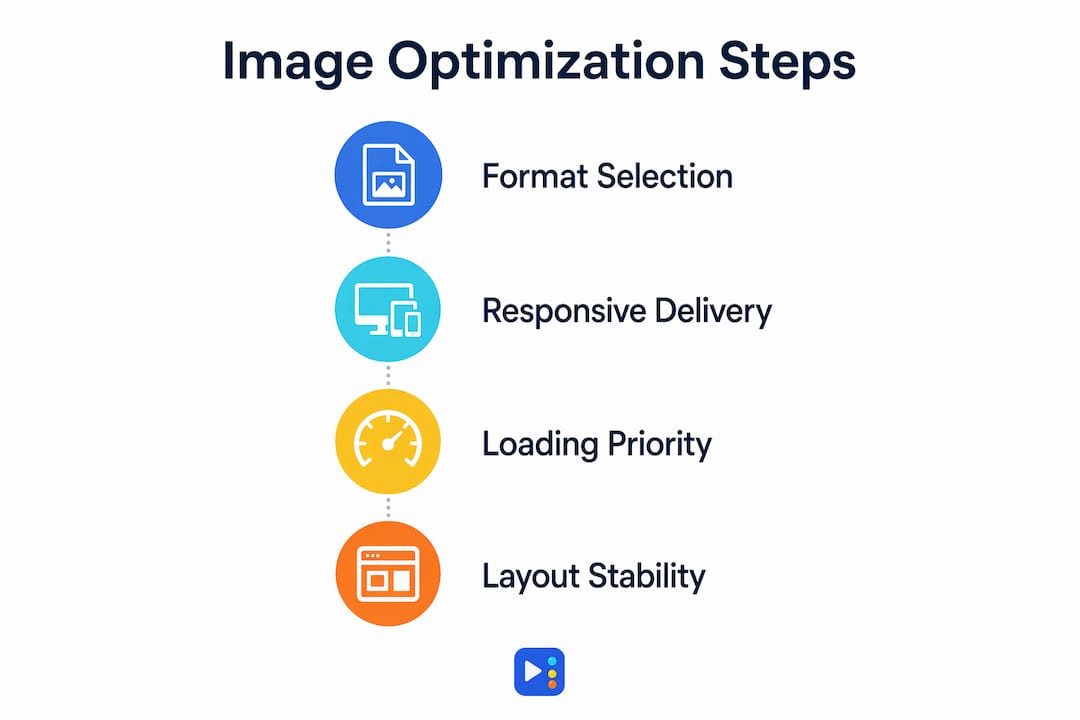
The most effective image optimization techniques fall into four categories: format selection, responsive delivery, loading priority, and layout stability. Each one addresses a different failure point in how browsers request and render images.
Format selection
AVIF offers approximately 50% size reduction over JPEG with strong browser support in 2026. WebP is the reliable fallback, offering 25–35% smaller files than JPEG at comparable quality. Use the <picture> element to serve AVIF first, WebP second, and JPEG or PNG as the final fallback. This approach covers every browser without sacrificing quality.
| Format | Compression vs. JPEG | Best use case |
|---|---|---|
| AVIF | ~50% smaller | Photos, hero images, product shots |
| WebP | ~25–35% smaller | General web images, thumbnails |
| JPEG | Baseline | Legacy fallback, photography |
| PNG | Lossless | Logos, icons, transparent graphics |
Responsive image delivery
Serving oversized images wastes bandwidth and slows page load on mobile devices. The srcset and sizes attributes tell the browser which image file to download based on the device's screen width and pixel density. A user on a 375px mobile screen should never download a 1,920px image. Implementing srcset correctly can cut image payload by 40–60% on mobile traffic alone.
Pro Tip: Always include the sizes attribute alongside srcset. Without it, the browser defaults to 100vw, which forces it to download a much larger image than the layout actually requires.
Loading priority and LCP configuration
Lazy loading should never be applied to the LCP image. The LCP image needs the opposite treatment: loading="eager", fetchpriority="high", and decoding="sync". The fetchpriority attribute signals to the browser that this image is critical and should be downloaded before lower-priority resources. The decoding="sync" attribute ensures the image paints atomically with surrounding text, reducing the perceived delay between text appearing and the image appearing.
Every other image below the fold benefits from loading="lazy", which defers their download until the user scrolls near them.
Layout stability and CLS
Explicitly setting image width and height prevents layout shifts that harm Cumulative Layout Shift (CLS) scores. When a browser knows an image's dimensions before it loads, it reserves the correct space in the layout. Without those attributes, the page reflows as images load, pushing content around and creating a jarring experience. The CSS aspect-ratio property achieves the same result for responsive images where fixed pixel dimensions are not practical.
For a complete visual content checklist that covers these techniques in a marketing context, the visual content SEO checklist from Babylovegrowth is worth bookmarking.
What mistakes hurt image optimization results?
The most common image optimization mistakes are not about what you do. They are about what you do in the wrong order or to the wrong images.
Lazy loading the LCP image is the single most damaging error. It delays the most important visual element on the page, directly worsening your LCP score. Many site owners apply loading="lazy" globally as a blanket rule, not realizing the hero image is the one element that must load immediately.
Over-optimizing small images wastes time and can introduce quality artifacts. Images below 10 KB, such as icons, rarely benefit from complex format conversion or compression pipelines. The processing overhead and potential quality loss outweigh any file size savings. Focus your effort on images above 50 KB, where compression delivers real gains.
Other pitfalls worth avoiding:
- Missing dimension attributes: Images without explicit width and height cause layout shifts that hurt CLS and frustrate users.
- Inconsistent pipelines: Disjointed or partial optimizations lose the compounded benefits of a complete strategy. Applying compression without format conversion, or format conversion without responsive sizing, leaves significant performance on the table.
- Ignoring
fetchpriority: Browsers use resource scheduling to decide what to download first. Withoutfetchpriority="high"on the LCP image, the browser may deprioritize it behind scripts or stylesheets.
Pro Tip: Use Chrome DevTools' Performance panel to identify your LCP element before applying any optimization. You cannot fix what you have not measured.
How to implement image optimization on your website
A practical implementation follows a clear sequence. Audit first, then fix format and sizing, then configure loading behavior, then automate.
-
Audit your LCP image. Open Chrome DevTools, run a Lighthouse report, and identify which image is flagged as the LCP element. Note its current file size, format, and loading attributes.
-
Convert to modern formats. Replace JPEG and PNG files with AVIF where browser support allows, using the
<picture>element with WebP and JPEG fallbacks. Most image editing tools and CDN platforms support batch conversion. -
Add
srcsetandsizesattributes. Define at least three image widths (for example, 480px, 800px, and 1,200px) and set thesizesattribute to match your layout breakpoints. This ensures mobile users download appropriately sized files. -
Configure LCP image attributes. Set
loading="eager",fetchpriority="high", anddecoding="sync"on the LCP image. Remove any lazy loading that was previously applied to it. -
Apply lazy loading to all other images. Add
loading="lazy"to every image that appears below the fold. This defers their download and reduces initial page weight. -
Set explicit dimensions on every image. Add
widthandheightattributes or use CSSaspect-ratioto prevent layout shifts. -
Deploy a CDN with image transformation. CDN-based image optimization automates format negotiation and resizing at scale. When a browser requests an image, the CDN serves the best format and size automatically, without manual intervention for each file.
-
Test and monitor regularly. Run Lighthouse and Google PageSpeed Insights after each change. Track LCP, CLS, and total image payload over time. Add image audits to your website maintenance checklist so performance does not degrade as new content is added.
The importance of image optimization compounds when these steps work together as a consistent pipeline rather than isolated fixes.
Key Takeaways
Image optimization is the highest-leverage technical change most websites can make, directly improving LCP, Core Web Vitals scores, search rankings, and conversion rates without requiring a full site rebuild.
| Point | Details |
|---|---|
| Images dominate page weight | Images account for over 64% of page weight and are the LCP element on most sites. |
| Format choice drives compression | AVIF delivers roughly 50% smaller files than JPEG, making format selection the first priority. |
| LCP image needs special treatment | Apply eager loading, fetchpriority="high", and decoding="sync" to the LCP image only. |
| Dimensions prevent layout shifts | Setting explicit width and height on every image protects CLS scores and user experience. |
| Consistent pipelines multiply gains | Partial optimizations lose the compounded benefits; format, sizing, and priority must work together. |
Why I think most sites are optimizing images in the wrong order
After working with local business websites across Central Texas, I have seen the same pattern repeat. Site owners compress their images, feel satisfied, and move on. They miss the two changes that actually move the needle: configuring the LCP image correctly and implementing responsive sizing with srcset.
Compression is visible and feels productive. Attribute configuration is invisible and feels technical. But a hero image served at 1,920px to a mobile user, even if it is compressed to WebP, still downloads three times more data than it needs to. That is the real performance killer, and it never shows up in a basic image audit.
The other thing I have learned is that automation is not optional at scale. Manual optimization works for a five-page site. For a restaurant with 200 menu photos or a med spa adding new service images every month, a CDN with on-the-fly transformation is the only way to maintain consistent performance. Set it up once, and every new image is automatically served in the right format and size.
Image optimization offers predictable, high-impact gains without the engineering complexity of deep architectural changes. That is rare in web performance work, and it is why we prioritize it for every client site we touch at Yourlocalseo.
— Tran
How Yourlocalseo approaches image performance for local businesses
At Yourlocalseo, we audit image performance as part of every website engagement. We identify LCP bottlenecks, configure modern image formats, and set up responsive delivery so your site loads fast for every visitor, whether they are on a desktop in Austin or a phone in Pflugerville.

Our team handles the technical side so you can focus on running your business. From Core Web Vitals audits to full website performance optimization, we build strategies around real results. Faster pages mean better rankings, lower bounce rates, and more leads from the customers already searching for you. If your site's images are slowing you down, we know exactly where to start.
FAQ
What is the role of image optimization in SEO?
Image optimization improves Core Web Vitals, especially LCP and CLS, which are confirmed Google ranking signals. Faster-loading, properly formatted images also increase visibility in Google Image Search and build user trust.
Which image format is best for web performance?
AVIF is the best choice for web performance in 2026, offering roughly 50% smaller file sizes than JPEG. Use WebP as a fallback and JPEG or PNG for legacy browser support via the <picture> element.
Should I apply lazy loading to all images?
No. Lazy loading should be applied to all images below the fold, but never to the LCP image. The LCP image requires loading="eager" and fetchpriority="high" to load as fast as possible.
How does image optimization affect conversion rates?
Every 100ms improvement in LCP correlates with approximately a 1% increase in conversion rates. Sites loading in one second convert at three times the rate of sites that take five seconds.
How do I find my LCP image?
Run a Lighthouse report in Chrome DevTools or use Google PageSpeed Insights. Both tools identify the LCP element and flag whether it is properly optimized, giving you a clear starting point for improvements.