

Geo-targeted keywords are location-specific search terms that connect your business to customers searching in your area. Knowing how to use geo-targeted keywords is the single most direct way a small business can compete in local search without a massive ad budget. These keywords signal to Google that your business serves a specific place, whether that's Austin, TX or a single zip code in Round Rock. When used correctly across your website, Google Business Profile, and paid ads, they pull in buyers who are ready to act, not just browsers.
How to research and identify geo-targeted keywords
The first step is separating two types of local keywords: explicit and implicit. Explicit keywords include a location name directly, like "nail salon Pflugerville" or "HVAC repair Cedar Park." Implicit local keywords, such as "emergency plumber" or "near me" searches, often carry higher search volumes and conversion rates than explicit geo-modifiers. That means you should not skip implicit terms just because they lack a city name.
National search volume data will mislead you. A keyword might show 10,000 monthly searches nationally but only 40 in your city. Local search demand should be validated with geo-filtered tools that reflect city-specific interest, not national averages. Tools like Ahrefs and Semrush both offer location filters that let you see volume for a specific metro area or city.

Focus your keyword list on commercial and transactional terms. About 70% of local SEO content should target transactional or commercial keywords with high buyer intent. That means prioritizing phrases like "book a facial Georgetown TX" or "same-day AC repair Austin" over purely informational terms.
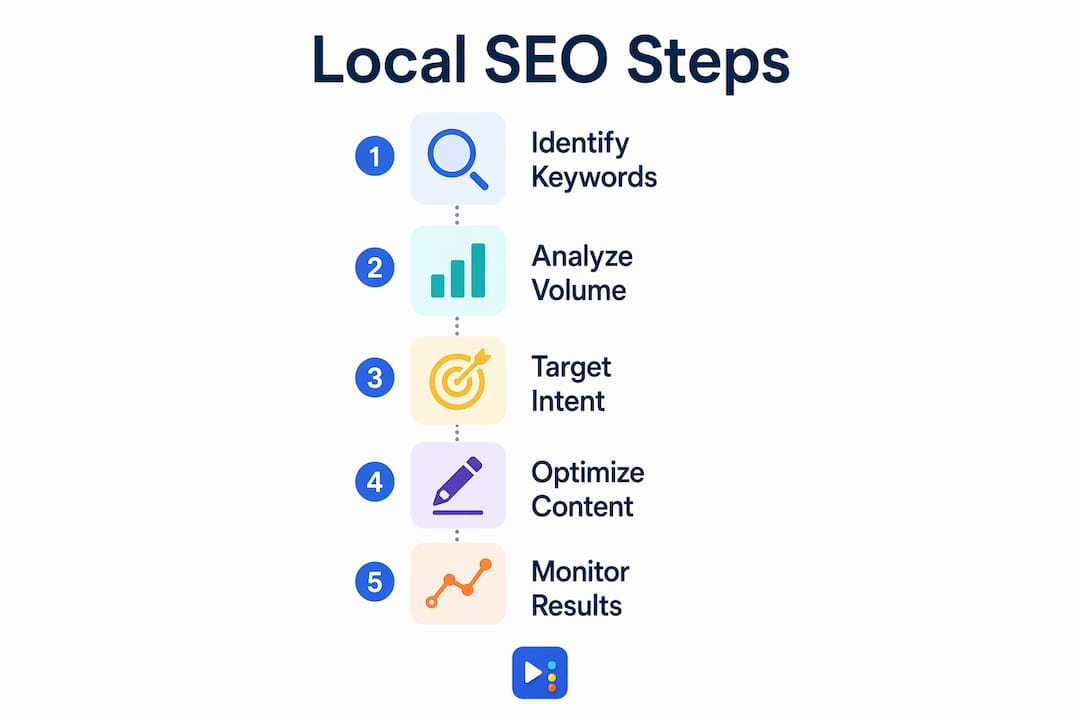
Keep your list tight. The optimal approach is to select 3 to 7 high-value, distinct keyword topics per location rather than building a bloated synonym list. Targeting 20 near-identical variations of the same phrase wastes crawl budget and creates keyword cannibalization.
Use multiple geographic identifiers in your research:
- City and neighborhood names: "med spa South Austin," "restaurant Mueller neighborhood"
- Zip codes: useful for hyper-local paid campaigns
- Landmarks and directional terms: "dentist near Domain Austin," "plumber north Round Rock"
- "Near me" and service-only terms: capture implicit local intent from mobile searchers
Pro Tip: Add purchase-intent modifiers like "same-day," "emergency," "open now," or "book online" to your geo keywords. These terms signal buying readiness and attract leads who are ready to call, not just browse.
Where to place location-based keywords on your website
Placing location-based keywords in the right spots on your site is what turns research into rankings. Start with the technical elements that search engines read first.
- Page title tags: Include your primary geo keyword and service. "Nail Salon in Pflugerville, TX | [Business Name]" is a strong pattern.
- Meta descriptions: Write a natural sentence that includes the city name and a call to action. This does not directly affect rankings but improves click-through rates.
- URL slugs: Use clean, readable URLs like
/austin-hvac-repair/rather than/page?id=44. - H1 and H2 header tags: Your main heading should include the service and location. Subheadings can target secondary neighborhoods or service variations.
- Body copy: Mention the city, neighborhood, or region naturally within the first 100 words of the page. Repeat it where it reads naturally, not on every sentence.
- Image alt text: Describe what is in the image and include the location. "Interior of nail salon in Pflugerville TX" beats "img_0042."
- Google Business Profile fields: Your business description, services, and posts should all include geo-relevant terms. Optimizing your Google Business Profile is one of the highest-ROI moves in local SEO.
Consistent NAP data, meaning your business name, address, and phone number across all listings, reinforces geo-targeting signals more effectively than keyword repetition alone. Build your listings correctly from the start. Yourlocalseo covers this in detail when setting up local business listings for clients across Central Texas.
For businesses serving multiple cities, create a dedicated landing page for each location. A page titled "Lash Extensions in Round Rock, TX" will outrank a single homepage trying to rank for five cities at once. Each page needs unique content, not copy-pasted text with the city name swapped.
Local content like blog posts covering neighborhood news, community events, or area-specific tips sends strong relevance signals to search engines. A plumber in Georgetown writing about "what causes pipe issues in older Georgetown homes" earns local relevance that pure keyword placement cannot replicate.
Pro Tip: Never stuff a keyword into a sentence where it reads awkwardly. Google's algorithms detect unnatural repetition, and real readers notice it too. Write for the person first, then check that your geo term appears where it fits.
How do geo-targeted keywords work in paid advertising?
Geo-targeted keywords in paid search work differently than in organic SEO. In Google Ads, you can set location targeting at the campaign level to show ads only to users in specific cities, zip codes, or radius zones around your business address. This means your ad budget goes only to people who can actually become customers.
Bid adjustments are the most powerful paid geo-targeting tool available. Google Ads bid adjustments range from -90% to +900% for geographic segments, letting you prioritize budget in high-ROI areas and cut spend in low-performing zones. If your Georgetown location converts at twice the rate of your Austin location, raise bids for Georgetown and reduce them for Austin.
Key tactics for paid geo-targeting:
- Pair geo keywords with "near me" modifiers in your ad copy and keyword lists. "AC repair near me Georgetown TX" captures both implicit and explicit intent.
- Exclude zip codes or cities where you do not serve. Wasted impressions from areas outside your service zone drain budget fast.
- Use location extensions in Google Ads to show your address, city, and phone number directly in the ad. This builds trust and improves click-through rates.
- Align paid and organic targeting. When your Google Ads and your organic pages both target "med spa Cedar Park," you reinforce your presence in local search results and build brand recognition faster.
Geographic performance data from your paid campaigns also informs your organic strategy. If one city consistently drives lower cost-per-click and higher conversions in paid search, that city deserves a dedicated organic landing page too.
Common mistakes when using geo-targeted keywords
Most local SEO problems come down to a short list of avoidable errors. Recognizing them early saves months of wasted effort.
- Using national search volume as a proxy for local demand. A keyword with 8,000 monthly national searches may have fewer than 50 in your city. Always filter by location before committing to a one-page keyword.
- Targeting too many keywords per page. Stacking 15 city variations on one page causes keyword cannibalization. Google cannot determine which page to rank for which city. Stick to one primary location per page.
- Ignoring implicit local keywords. Searches like "emergency electrician" or "open now pizza" do not include a city name, but they carry strong local intent. Leaving them out of your strategy means missing high-converting traffic.
- Inconsistent NAP data across listings. If your address appears differently on Google, Yelp, and your website, search engines lose confidence in your location data. Audit your citations regularly.
- Not fully using your Google Business Profile. An incomplete profile with no posts, no services listed, and no photos leaves ranking signals on the table. Google Maps optimization starts with a complete, active profile.
- Using exclusion-based geo redirects incorrectly. Improper redirect rules can block search engine bots from accessing your content, which drops your rankings. Use explicit "include" rules instead of exclusion logic when setting up geo redirects.
"The businesses that win local search are not the ones with the most keywords. They are the ones with the most consistent, relevant, and complete local presence across every channel."
Key Takeaways
Geo-targeted keywords work best when they combine commercial intent, consistent NAP data, and location-specific content across every digital channel your business uses.
| Point | Details |
|---|---|
| Prioritize commercial intent | About 70% of local SEO content should target transactional keywords with buying signals. |
| Validate local demand | Use geo-filtered keyword tools to check city-level volume, not national averages. |
| Limit keywords per location | Target 3 to 7 distinct keyword topics per location to avoid cannibalization. |
| Place keywords in technical elements | Use geo terms in title tags, URLs, header tags, alt text, and your Google Business Profile. |
| Align paid and organic targeting | Coordinate Google Ads geo campaigns with organic landing pages for stronger local presence. |
What I have learned from years of local SEO work
The biggest mistake I see small business owners make is treating geo-targeted keywords as a checklist item. They add the city name to a few pages and expect results. Real local SEO is about building a complete, consistent signal across every place your business appears online.
Commercial intent matters more than volume. A keyword with 50 monthly local searches and clear buying intent will drive more revenue than a keyword with 500 searches from people who are just browsing. I always push clients to include terms like "book," "same-day," or "emergency" alongside their location modifiers. Those words filter for the customers who are ready to spend.
Multi-location businesses get this wrong most often. They build one page and try to rank it for every city they serve. Focused, location-specific pages with unique content consistently outperform that approach. I have seen businesses improve their Google rankings significantly just by splitting one generic service page into three city-specific pages with real, locally relevant content.
One more thing worth saying: customer reviews mentioning your city or neighborhood are a form of geo-targeted content you do not write yourself. Encouraging clients to leave detailed reviews that mention the location adds organic geo-relevance that no keyword strategy can fully replicate.
— Tran
Local SEO services from Yourlocalseo
Yourlocalseo works with small businesses across Pflugerville, Austin, Round Rock, Georgetown, Cedar Park, and the surrounding Central Texas area to build local search visibility that drives real leads.

We handle everything from Google Business Profile optimization and citation building to location-specific landing pages and on-page SEO. Every strategy is built around your specific service area and the keywords your customers actually use. If you are ready to stop guessing and start showing up where it counts, get in touch with our team to talk through what a geo-targeted keyword strategy looks like for your business.
FAQ
What are geo-targeted keywords?
Geo-targeted keywords are search terms that include a specific location, such as a city, neighborhood, or zip code, to connect businesses with nearby customers. They signal to search engines that a business serves a defined geographic area.
How do I find the right geo-targeted keywords for my business?
Use keyword research tools with geo filters, such as Ahrefs or Semrush, to check city-level search volume. Focus on transactional terms with location modifiers and limit your list to 3 to 7 high-value topics per location.
What is the difference between explicit and implicit local keywords?
Explicit local keywords include a place name directly, like "dentist Austin TX." Implicit local keywords, like "dentist near me" or "emergency plumber," rely on the searcher's location to trigger local results and often convert at higher rates.
How do geo-targeted keywords work in Google Ads?
In Google Ads, location targeting restricts ad delivery to users in specific cities or radius zones. Bid adjustments between -90% and +900% let you prioritize budget in areas that generate the best return.
Why is NAP consistency important for geo-targeted SEO?
Consistent NAP data, meaning your name, address, and phone number match across all listings, reinforces your location signals to search engines. Inconsistent data reduces Google's confidence in your business location and can lower your local rankings.