

Most small business owners in Central Texas think a location page is just an address listing. Put your city, your phone number, maybe a map embed, and you're done. The role of location pages is actually much bigger than that. A location page done right improves your search rankings, strengthens your Google Business Profile (GBP), gets cited by AI tools, serves as a landing page for paid ads, and converts visitors into real customers. Most pages do none of this and just sit there doing nothing. This guide will change how you think about them.
Table of Contents
- Why location pages matter for local SEO and business growth
- Common location page mistakes and how to avoid them
- How to optimize location pages for search engines and local customers
- Balancing scalability and uniqueness for multi-location businesses
- Measuring success and applying learnings to your location pages
- Why most small business location pages underperform and how to truly stand out
- Boost your Central Texas business with expert local SEO services
- Frequently asked questions
Key Takeaways
| Point | Details |
|---|---|
| Location pages do more than list addresses | They boost local search rankings, link Google Business Profiles, support ads, and convert visitors into leads. |
| Unique local content is crucial | Avoid thin or generic pages by adding tailored information about each location’s services and community. |
| Consistency builds trust | Keep Name, Address, Phone details uniform across website and Google Business Profile for better rankings. |
| Link Google Business Profiles properly | Each profile should link to its corresponding location page to strengthen local SEO signals. |
| Measure and improve continuously | Use site analytics to track location page performance and update content to maintain local relevance. |
Why location pages matter for local SEO and business growth
The importance of location pages comes down to one thing: search engines need geographic signals to decide which businesses to show for local queries. When someone in Round Rock searches "nail salon near me," Google is reading your website for proof that you actually serve that area. A contact page with a zip code does not cut it.
Location pages create geographic relevance and directly influence where your site appears in local search results. They tell Google, clearly and specifically, that your business operates in a defined area and serves real customers there. Without that signal, you are competing for local attention with nothing to back it up.
Here is what a strong location page does for your business:
- Boosts local search rankings by giving search engines specific geographic content to index
- Strengthens your GBP listing when linked correctly from your Google Business Profile
- Drives targeted traffic from customers actively searching in your service area
- Acts as a landing page for Google Ads and local service ads targeting that city
- Gets cited by AI tools like Google's AI Overviews when your page has clear, structured information
- Converts visitors by answering exactly what a local customer needs to know before calling or booking
If you run a business in Pflugerville but also serve Georgetown, Cedar Park, and Manor, each of those cities deserves its own page. Not a copy-paste. A real page built around that community. Check out our practical SEO tips for Central Texas to see how local businesses are putting this into practice.
Pro Tip: Think of each location page as a dedicated salesperson for that city. It should know the neighborhood, speak to local customers, and close the deal without you lifting a finger.
Common location page mistakes and how to avoid them
Understanding why location pages matter, it is crucial to recognize the mistakes that make them useless. And there are a lot of them.
Most location pages fail because they are either too thin or too generic. The classic move is taking one page, swapping the city name, and calling it done. Georgetown becomes Round Rock becomes Cedar Park. Google sees through this immediately.
Here are the most common mistakes and how to fix them:
- Thin content with just NAP info. Name, address, and phone number alone do not give Google enough to work with. Add service descriptions, photos, reviews, and FAQs specific to that location.
- City-name swap templates. If your Georgetown page reads exactly like your Pflugerville page except for the city name, it risks being treated as low quality and will not rank. Write each page from scratch or with substantial unique content.
- No local proof. Generic pages have no testimonials from local customers, no photos taken in that area, no mention of local landmarks or neighborhoods. These details signal authenticity to both Google and your visitors.
- Missing calls to action. A location page that does not tell visitors what to do next, call, book, or get a quote, wastes every click it earns.
- No internal linking. Location pages should link to your service pages, and your service pages should link back. This builds authority across your site.
- Ignoring mobile users. Most local searches happen on phones. A location page that loads slowly or is hard to navigate on mobile loses customers before they even read a word.
If you want to improve your Google ranking, fixing these mistakes is one of the highest-impact things you can do.
Pro Tip: Treat each location page as a unique resource that answers the specific questions a local customer would have. What do you offer there? Who have you served? Why should they trust you over the business down the street?

How to optimize location pages for search engines and local customers
After avoiding common mistakes, let's focus on what actually works. The benefits of location pages are only realized when you optimize them with intent.
Start with the basics that many businesses skip:
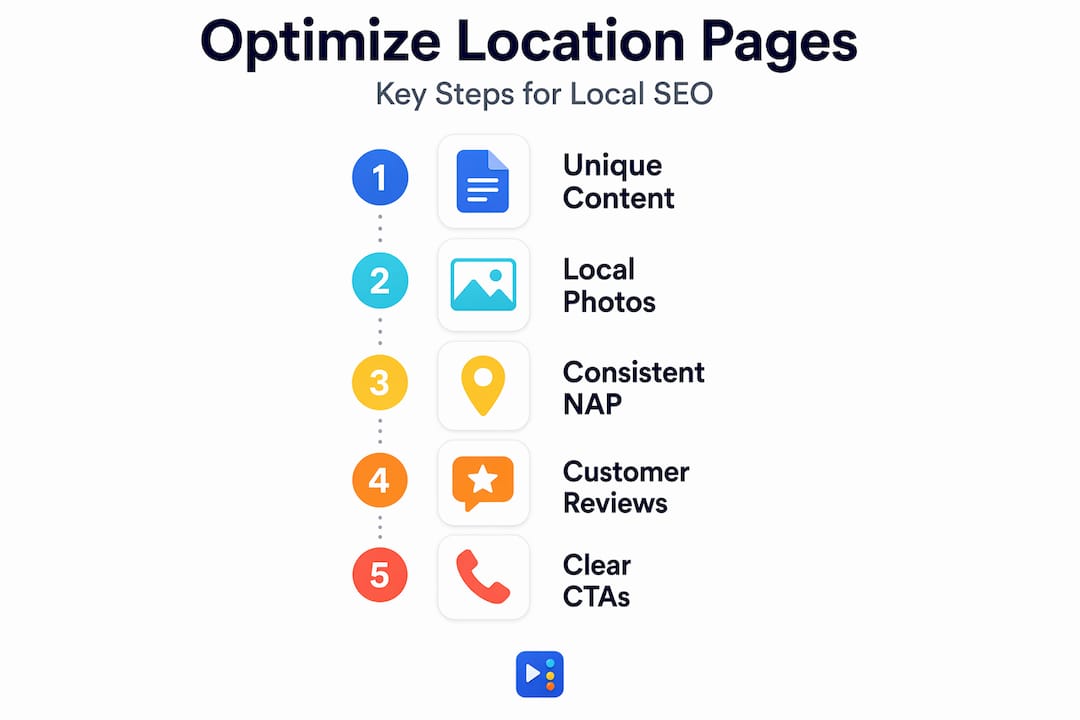
- Consistent NAP across every platform. Keeping NAP consistent across your website and Google Business Profile boosts credibility and local rankings. If your Pflugerville page says "Suite 200" but your GBP says "Ste. 200," that mismatch creates noise.
- Link your GBP to the right page. GBP listings should link to the corresponding specific location page, not your homepage. This reinforces the local signal and tells Google exactly which page represents that location.
- Add LocalBusiness schema markup. Schema is structured data (code on your page that helps search engines understand your content). Use LocalBusiness schema with your address, phone, hours, and service area. Add FAQ schema if your page includes a questions section. This helps you appear in rich results and AI-generated answers.
- Include real local photos. Not stock images. Photos of your actual location, your team in that city, or jobs completed in that area. Google can detect geotagged images and they add authenticity.
- Feature local reviews. Pull testimonials from customers in that city. A review from a Georgetown client on your Georgetown page is far more persuasive than a generic 5-star statement.
Here is a quick reference for what to include on each optimized location page:
| Element | Why it matters | Example |
|---|---|---|
| Consistent NAP | Builds trust with Google and customers | Exact address matching your GBP |
| LocalBusiness schema | Helps search engines parse your data | JSON-LD markup with service area |
| Unique service descriptions | Differentiates the page from duplicates | "We offer lash services in Georgetown, TX" |
| Local photos | Adds authenticity and relevance | Team photo taken at your Cedar Park location |
| Customer testimonials | Builds social proof by area | Review from a Round Rock client |
| FAQ section | Targets long-tail queries and AI citations | "Do you offer walk-ins in Pflugerville?" |
| Clear CTA | Converts visitors into leads | "Book your appointment in Manor today" |
See our guide to Google Business Profile optimization for more on connecting your GBP correctly, and if you are still setting yours up, learn how to verify your Google Business Profile in Texas first.
Pro Tip: Organize your location page content in scannable sections with clear headings. Both human readers and AI systems read structured content faster and are more likely to use your page as a source.
Balancing scalability and uniqueness for multi-location businesses
Understanding core optimization strategies, let's look at how businesses serving multiple cities, like many of our clients across Central Texas, handle scale without sacrificing quality.
The temptation is real. You have ten cities to cover and not enough hours to write ten genuinely different pages. But multi-location businesses that rely on near-duplicate template pages consistently see poor performance and risk suppression in local results. Google suppresses templated location pages and expects each page to offer genuinely unique, locally relevant content.
Here is what separates effective from ineffective location pages:
| Characteristic | Effective location page | Ineffective location page |
|---|---|---|
| Content uniqueness | Written for that specific city and audience | City name swapped in a template |
| Local proof | Reviews, photos, and projects from that area | Generic testimonials and stock photos |
| Service detail | Specific offerings available at that location | Identical service list across all pages |
| Community context | Mentions local landmarks, neighborhoods, events | No local references at all |
| Internal linking | Connected to relevant service and blog pages | Standalone with no site integration |
| Schema markup | LocalBusiness and FAQ schema present | No structured data |
To scale without creating low-quality pages, focus on these practices:
- Batch your research by city. Before writing, gather local reviews, photos, and community details for each location.
- Assign unique team members or specialists to each location if applicable. People trust people.
- Document local projects or case studies. A before-and-after from a client in Manor carries more weight than a paragraph of generic copy.
- Build a content brief template that forces writers to fill in location-specific fields before drafting. This ensures uniqueness without starting from zero every time.
The editorial effort is real. But the compounding SEO benefit across multiple city pages is significant. Our local SEO guide and homepage SEO strategies cover how to connect these pages into a coherent site structure.
Measuring success and applying learnings to your location pages
With a solid foundation, let's look at how to track whether your location pages are actually working. Because publishing the page is step one. Improving it over time is where the real results come from.
Here are four ways to measure location page success:
- Rank improvements. Use Google Search Console to track which keywords your location page ranks for and whether those positions are improving over time. Look for queries that include your city name and service type.
- Traffic increases. Monitor organic traffic to each location page in Google Analytics. A well-optimized page should see steady growth after indexing, especially in the months following updates.
- Engagement metrics. Search engines consider user behavior like time on page, bounce rate, and click-through rate to evaluate local landing page quality. If visitors are leaving in seconds, the page is not answering their question.
- Conversion rates. Track calls, form submissions, and booking clicks attributed to each location page. Traffic that does not convert is just noise.
"The best location pages are not static. They grow with your business, your reputation, and your community. Review them quarterly, not annually."
Set a recurring reminder to review each page every 90 days. Add new reviews as you collect them. Update your photos. Refresh service descriptions if your offerings change. If a competitor in Georgetown is outranking you, pull their page apart and find what they are doing that you are not.
You can use the same GBP dashboard to track your Google Business Profile success alongside your location page data. These two assets work together, and monitoring them side by side gives you a clearer picture of your local search health.
Why most small business location pages underperform and how to truly stand out
Here is the honest truth we see repeatedly: most location pages fail not because of bad SEO, but because of bad intent.
Business owners build them to check a box. "We have a Pflugerville page, a Round Rock page, a Georgetown page." Done. But those pages were never built with the customer in mind. They were built for Google. And ironically, that is exactly why Google ignores them.
"Location pages function like customer service on the web, delivering consistent, location-specific information to improve experience, reputation, rankings, and revenue." Multi-location SEO
That framing changes everything. When you think of your Georgetown location page as your best customer service rep for Georgetown, the content decisions become obvious. What would that rep know? Local pricing norms. Which services are most popular in that area. What questions Georgetown customers ask before booking. What makes your business the right choice on that side of town.
The businesses we see winning in local search are the ones treating location pages as living documents tied to their community presence. They are updating them after local events. Adding photos from neighborhood jobs. Responding to what customers in that city are actually searching for. And they are linking supporting blog content and local SEO business categories to build topical authority around each location.
This is not a one-time task. It is an ongoing process. And it compounds. Every update, every new review, every local photo makes that page more authoritative and more trusted, by Google and by your customers.
Boost your Central Texas business with expert local SEO services
If reading this guide made you realize your location pages need serious work, you are not alone. Most small businesses in Central Texas are leaving real visibility on the table because their location pages are underdeveloped. We build and optimize location pages that rank, convert, and connect directly to your Google Business Profile.

Our team at ourLocalSEO has hands-on experience with the Central Texas market, from Pflugerville to Georgetown to Manor and everywhere in between. We handle everything from local SEO for Pflugerville TX to full local SEO services in Georgetown TX and custom website design built to support your location pages from the ground up. Every page we build follows the best practices in this guide, unique content, consistent NAP, schema markup, local proof, and a clear path to conversion. Let us do the heavy lifting so you can focus on running your business.
Frequently asked questions
What is the main purpose of a location page for a local business?
A location page serves to improve local search visibility, provide city-specific information, connect to your Google Business Profile, and convert visitors into leads. A well-built location page ranks, converts, and gets cited by AI tools, making it one of your most valuable web assets.
How can I avoid having my location pages penalized by Google?
Avoid creating thin or near-duplicate pages with only city-name swaps. Google penalizes templated pages with thin content, so each page needs distinct local details, genuine customer testimonials, and unique service descriptions tied to that specific location.
Why should each Google Business Profile link to a specific location page rather than the homepage?
Linking your GBP to the precise location page reinforces the local SEO signal for that city, improving rankings and customer trust. Each GBP should link to its specific local landing page rather than a generic homepage.
What elements should a well-optimized location page include?
It should include consistent NAP details, local photos and testimonials, unique service descriptions, schema markup, and location-specific FAQs. These core components give both search engines and customers everything they need to trust and act on your page.
How do I measure if my location pages are successful?
Track organic rankings, local traffic growth, and engagement metrics like time on page and bounce rates, then monitor lead conversions specific to each location. User behavior metrics like these are factors search engines use to evaluate the quality of your local landing pages.